Waiter mobile app

A mobile app that covers a waiter's whole job.

Open the table, build the order, send it to the kitchen. Split the check, take payment, refund it, close the table; all from the waiter app.

Table ordersReservationsOrder statusCheck splittingTable managementiPhone and Android
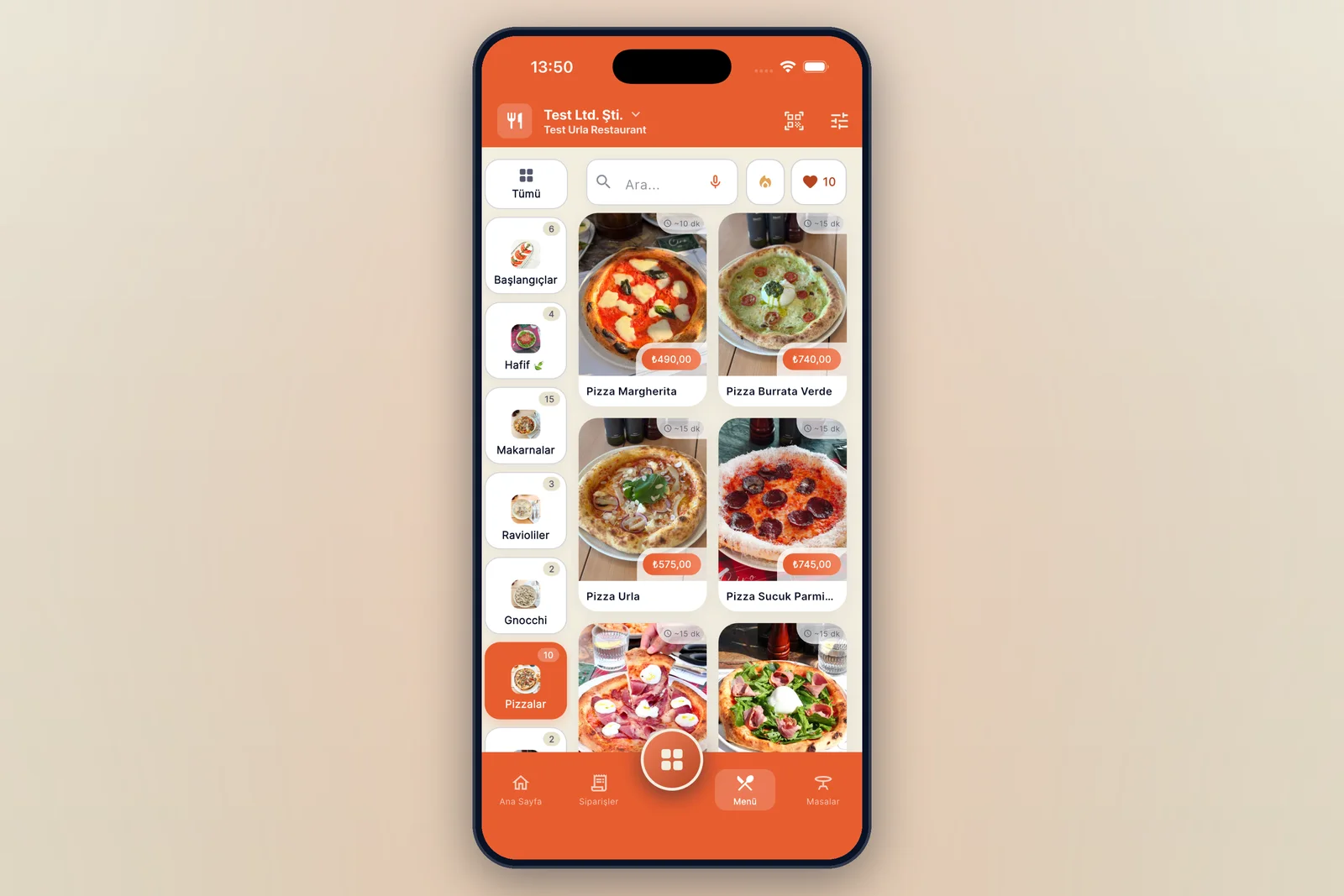
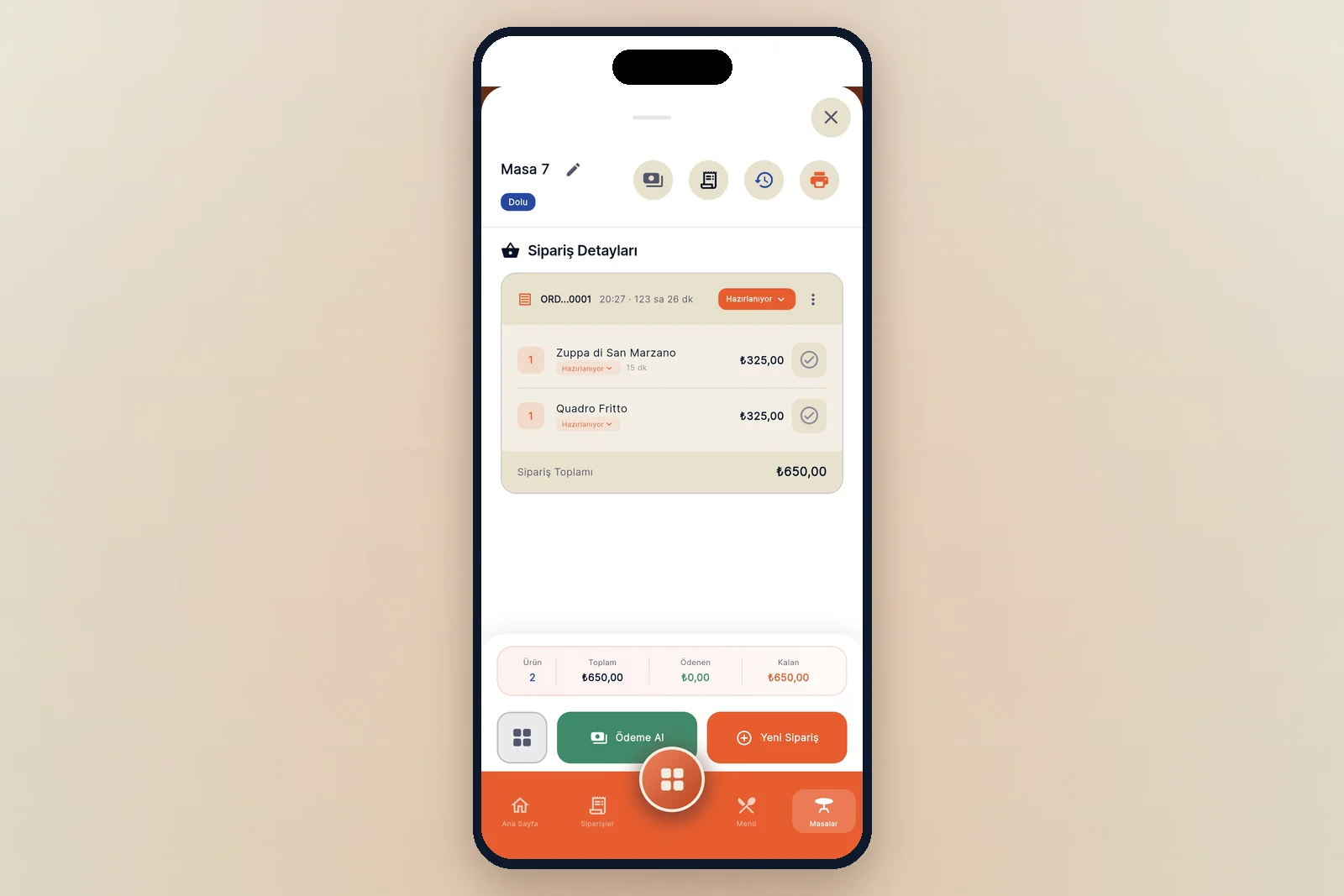
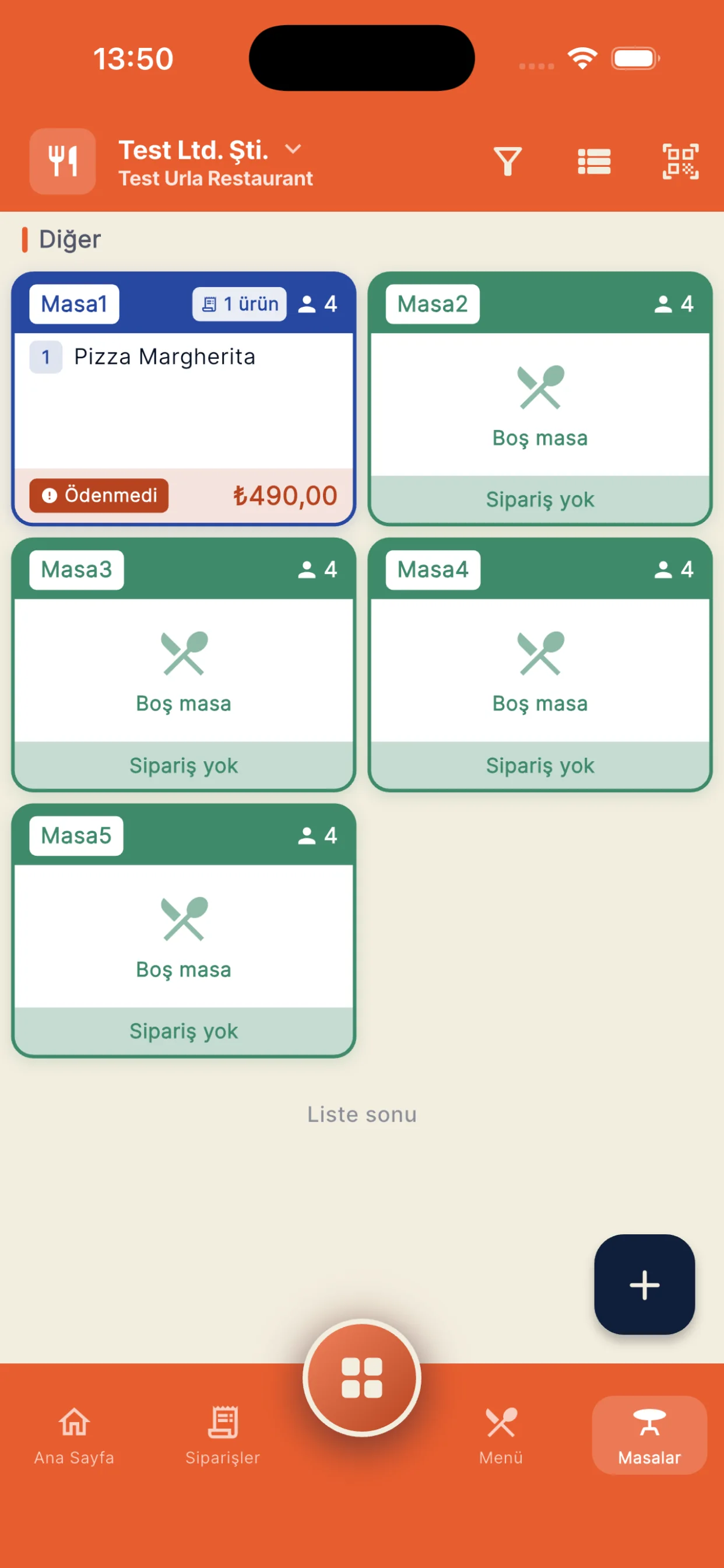
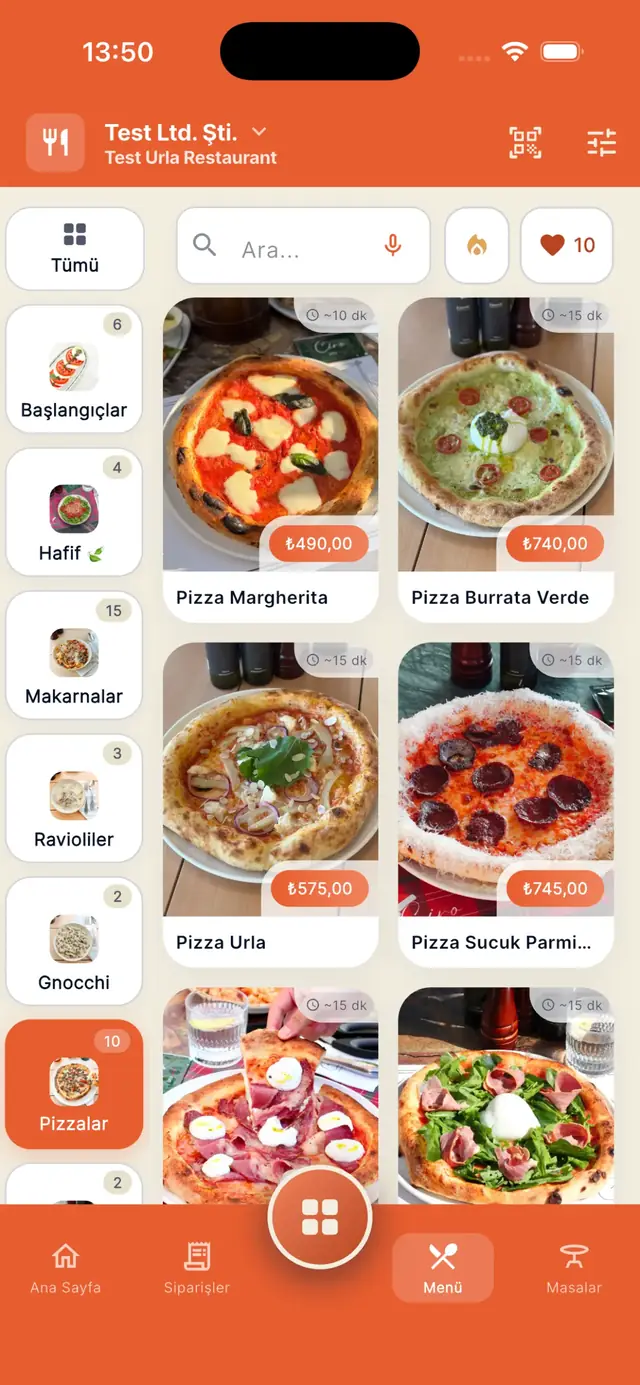
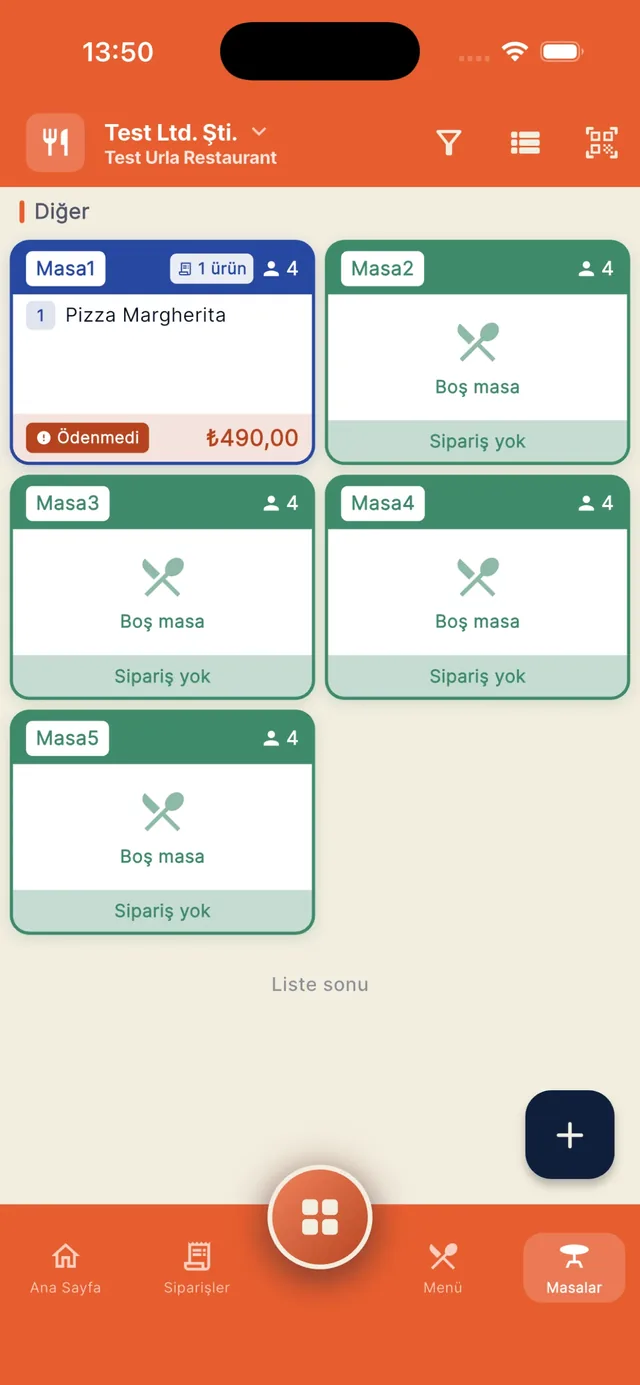
The menu screen in the dojofood waiter app, with the category rail and a photo item gridThe tables screen in the dojofood waiter app, showing a table with an open check and empty tables
Capabilities

What stands out

Taking the order at the table

  • Adding items from the menu to the basket and creating the order
  • Item search by category, visually rich, and by voice
  • Filtering by guest preference: vegetarian, vegan, gluten free
  • Viewing different menus: breakfast, dinner
  • Showing required and optional option groups
  • Seeing the choices inside a combo and building the order the guest wants
  • Removing an ingredient from the recipe: no onion, no sauce, no cheese
  • Typed or dictated notes, per item or for the whole order
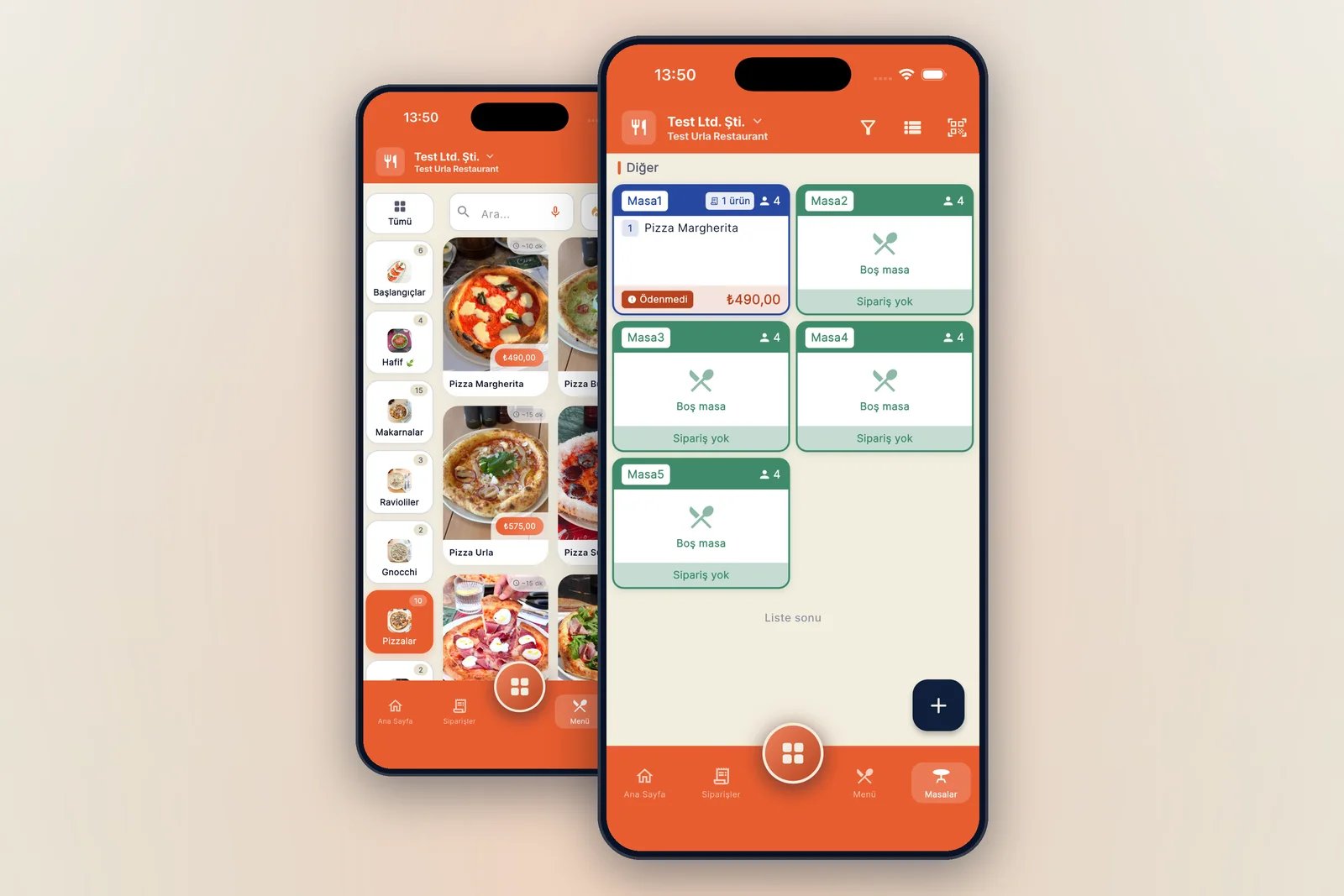
Table actions and the check

  • Table availability: empty, occupied, reserved, unavailable, needs cleaning
  • Filtering by table status
  • Opening a cleaning request for a table
  • Moving a table to an empty one, or merging occupied tables
  • Transferring items between tables
  • Splitting an order: moving items to a new table, or running two separate checks on the same table
  • Taking a reservation and reserving the table
  • Viewing table reservations

Card terminal integration

  • The amount to collect goes from the app to your card terminal, with the table reference
  • Nobody keys the amount into the terminal, so the check and the terminal cannot drift apart
  • The state of the payment is followed on screen, and cancelled from the app if it needs to be
  • The result comes back to the app and lands on the table's record
  • You keep your own processor, your own contract and your own rates
  • Receipts print to the printer or the certified device your country requires

Table orders and what the kitchen is doing

  • When the table orders again, a new order is created for the same table
  • Items on an order go straight to the kitchen they belong to
  • Seeing the order's state in the kitchen: preparing, ready
  • Collecting what is ready, serving it and marking it delivered

Check and payment

  • Collecting the whole check in one go
  • Paying for selected items, by quantity
  • Splitting the check evenly (1/n)
  • Partial payment by entering a free amount; the remainder shows on the table
  • Open account: the check of a guest you run an account with continues after the table closes
  • Cash, credit card, debit card, mobile wallet

Comps, discounts and refunds

  • Route it through a manager, or give the waiter the permission
  • Comping an item or a whole order
  • Discounts on the whole order or on selected items: percentage or free amount
  • Refunding a payment to the guest
A closer look

Table management, ordering and payment.

Tables

Reading a table's status

Empty, occupied, reserved and needs-cleaning tables each carry their own colour and are read at a glance. An occupied table's card shows the cover count, how many items are open, the check total and the unpaid amount.

Areas of the restaurant

Pick one of the areas you defined, the garden, the upstairs room, the terrace, and see the tables in it. You can also filter tables by status: occupied, empty, reserved.

Seeing what is still owed

The collected and remaining amounts sit at the top of the card, and a table does not fall back to empty until the remainder is cleared or someone with the permission approves it.

The tables screen in the dojofood waiter app, showing a table with an open check and empty tables

Menu

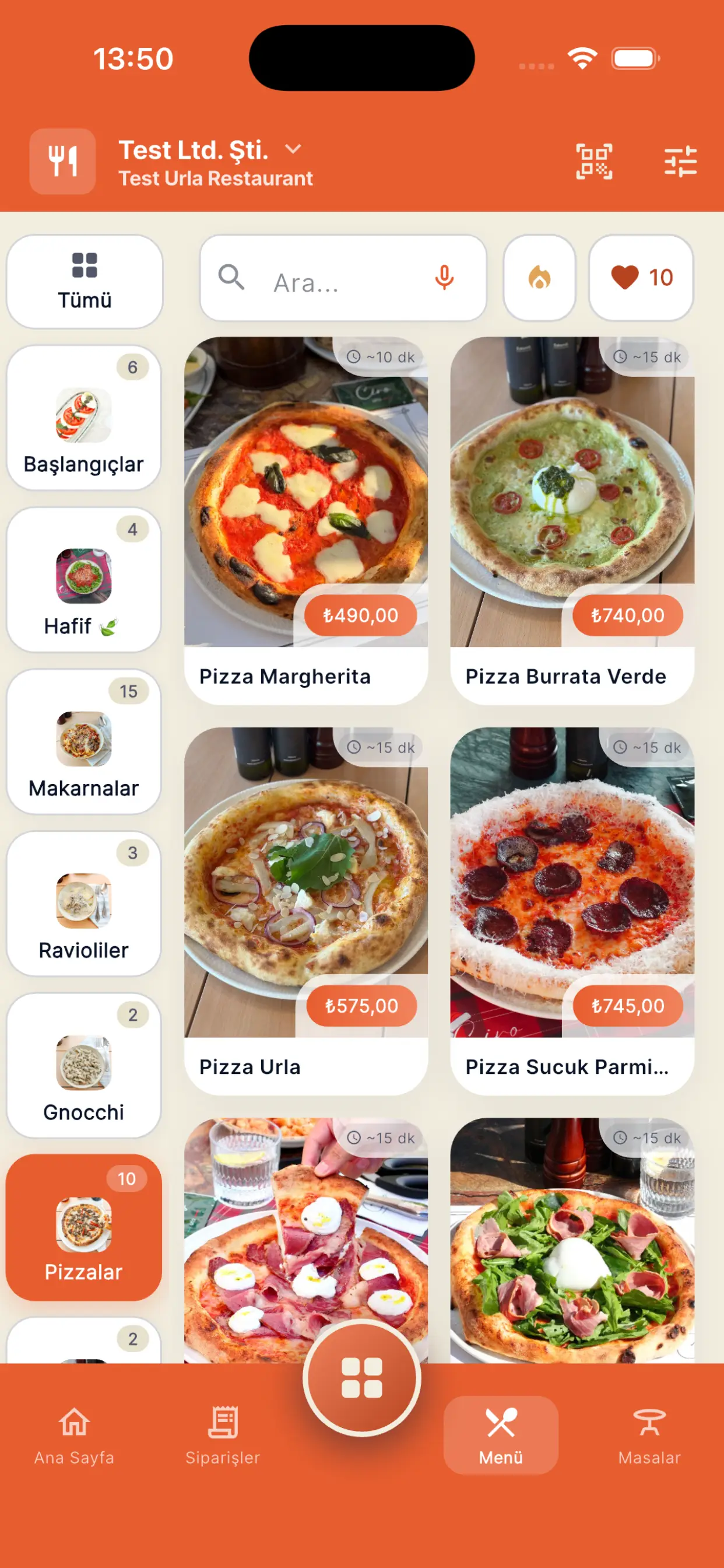
A menu screen you can shape

The menu screen can be adjusted to the waiter's own preference. Everyone works the way they are comfortable working.

Filters, search and favourites

Dietary preferences and allergen information become filters, so you put the right suggestion in front of the guest: vegan, vegetarian, gluten free. You find an item by typing or by voice, and you recommend from the items you marked as favourites.

Item options and notes

While building the order the waiter sees the required and optional choices for the item on screen, and takes the order from the guest correctly. Notes go on a single item or on the order as a whole.

The menu screen in the dojofood waiter app, with the category rail and a photo item grid

Table detail

Everything the table has ordered

The table's name, its status and every order entered against it sit together. Each round is listed on its own order card, and the card header carries the order number, the time and the round's total.

Where each item is

Next to every item you see its preparation state and how long it has been since it was ordered. What the kitchen is doing with an item is read on that item's own line.

Payment and what's left

The item count, the total, the amount paid and the amount remaining are all on the table detail. From here you move straight to payment, or create a new order for the table.

The order detail screen of an open table in the dojofood waiter app

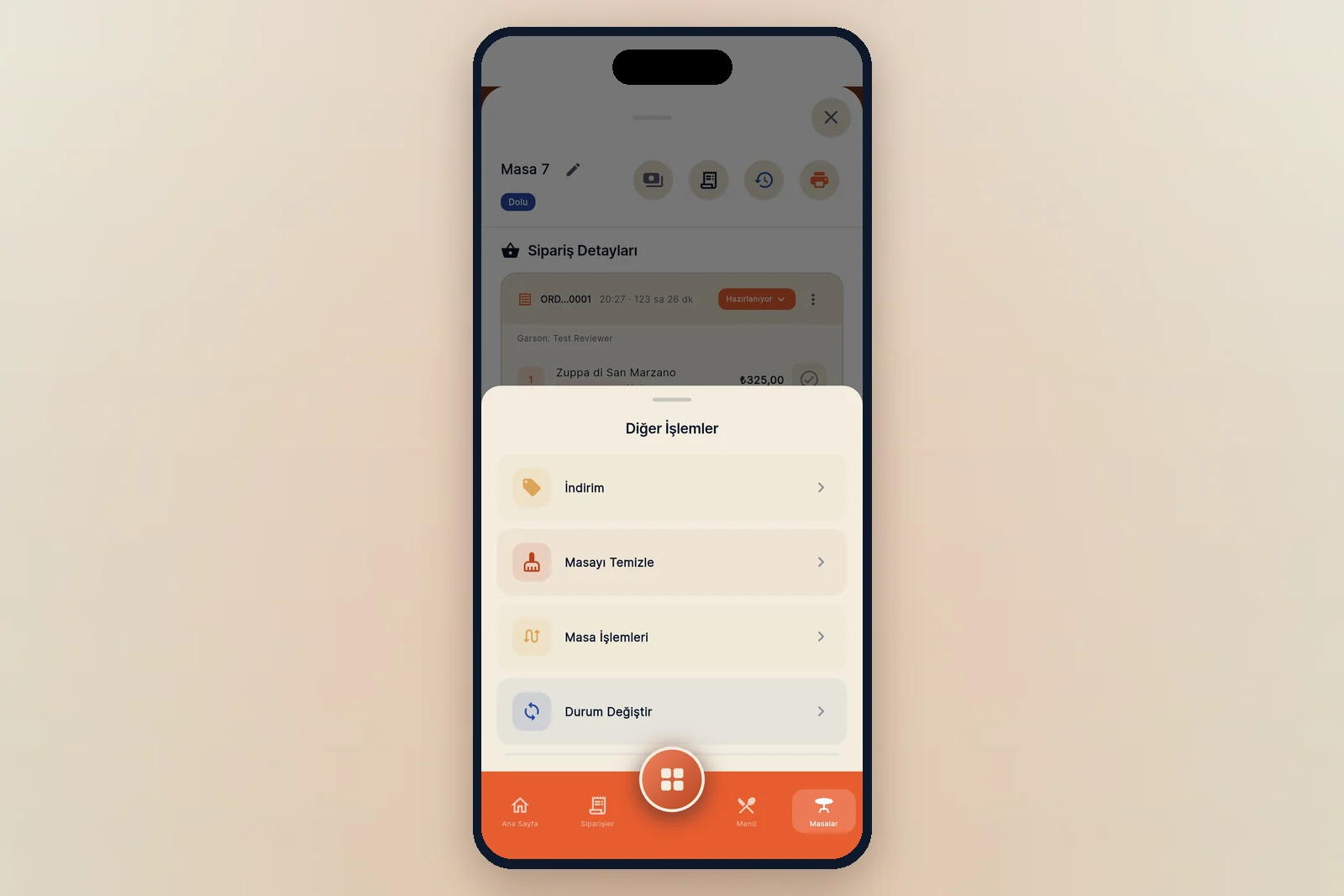
Table actions

Discounts and comps

Following your business settings, you comp a guest either with a manager's approval or on the waiter's own initiative. Discounts go on the whole order or on the items you pick, as a percentage or as a free amount.

Moving and merging tables

From table actions you move a table to an empty one, merge two tables, or transfer the items you select to another table.

Changing the table's status

Change status marks the table as reserved, needs cleaning or unavailable.

The table actions page in the dojofood waiter app: discount, clean the table, table actions and change status

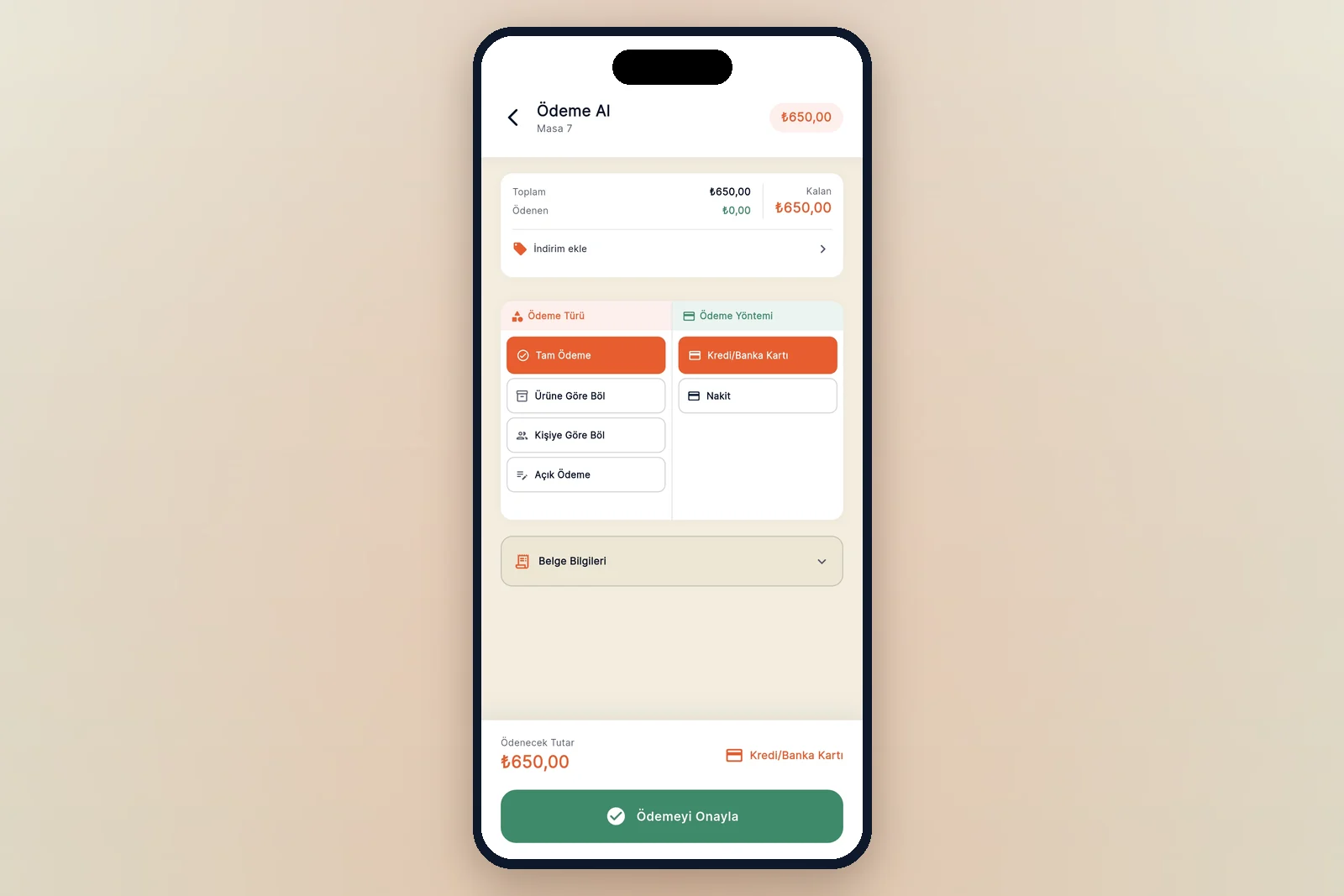
Payment

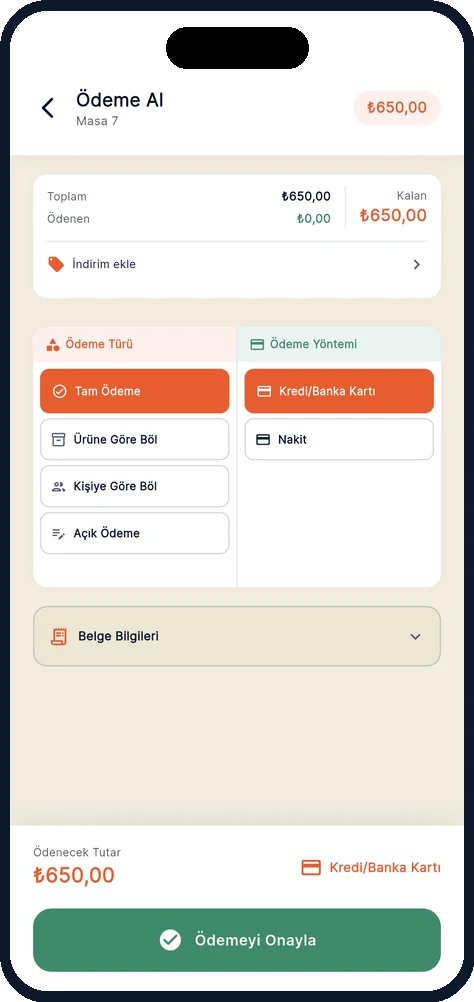
Taking the payment

You take the full amount, pay by item, or split the check. For guests you run an account with you keep the check open. You pick the payment method and the payment type, and the transaction is done.

The terminal does the card work

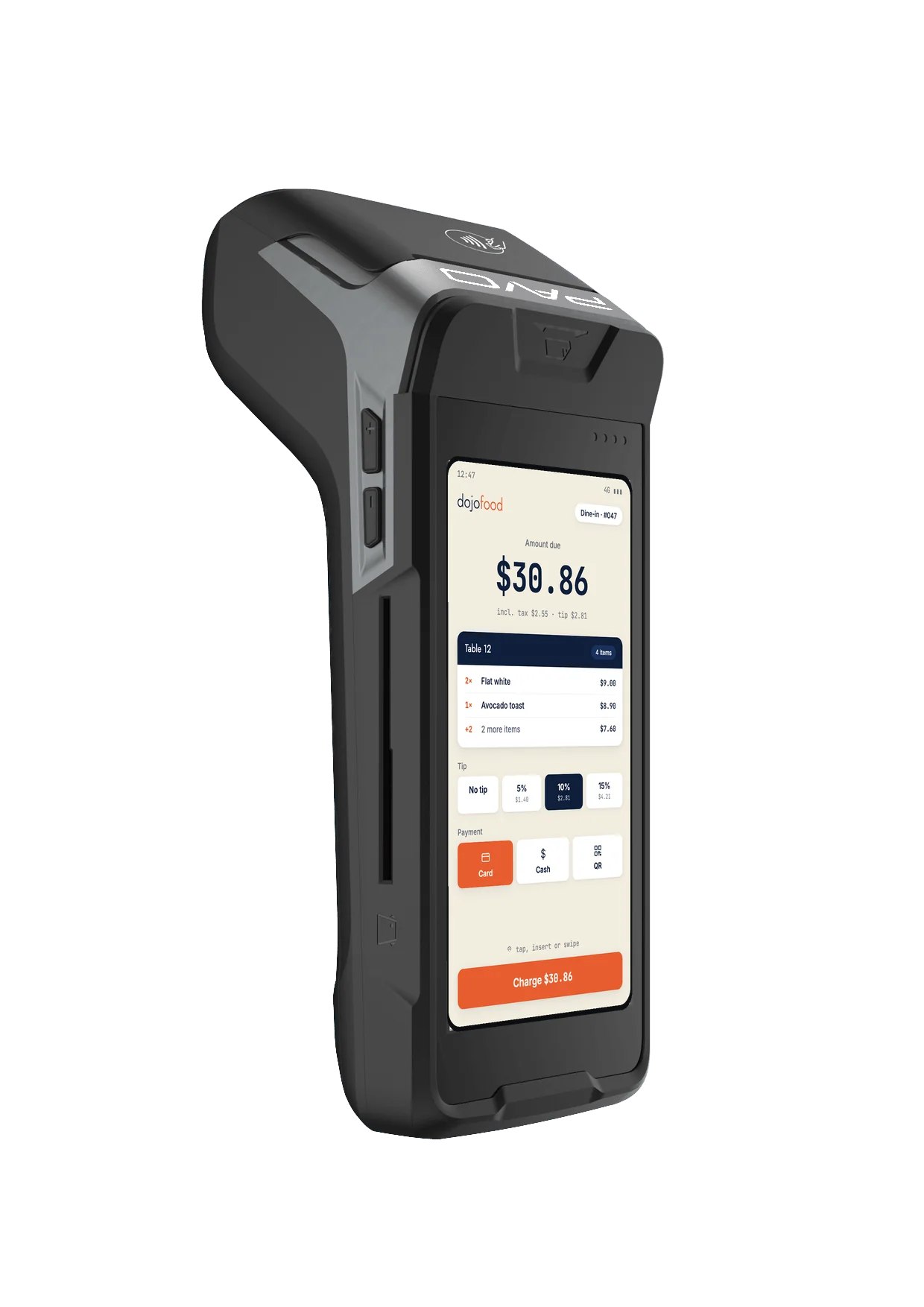
Choose card and the amount to collect is sent to your terminal with the table reference. The waiter never keys the figure in by hand, so the check and the terminal always agree.

Receipts follow local rules

A digital receipt by default, a thermal print where you want one, and a certified fiscal device where your country requires it. The receipt content always matches the ticket.

The payment screen in the dojofood waiter app: payment type, payment method and document details
The service loop

From the order to the payment, every step is in the waiter app.

Think of everything a waiter does across a shift; the waiter app covers all of it. A waiter can run the whole day from the app.

The whole flow. Kitchen screen: Preparing.

From the field

Common problems.

The problems restaurants run into most often, and how dojofood resolves them.

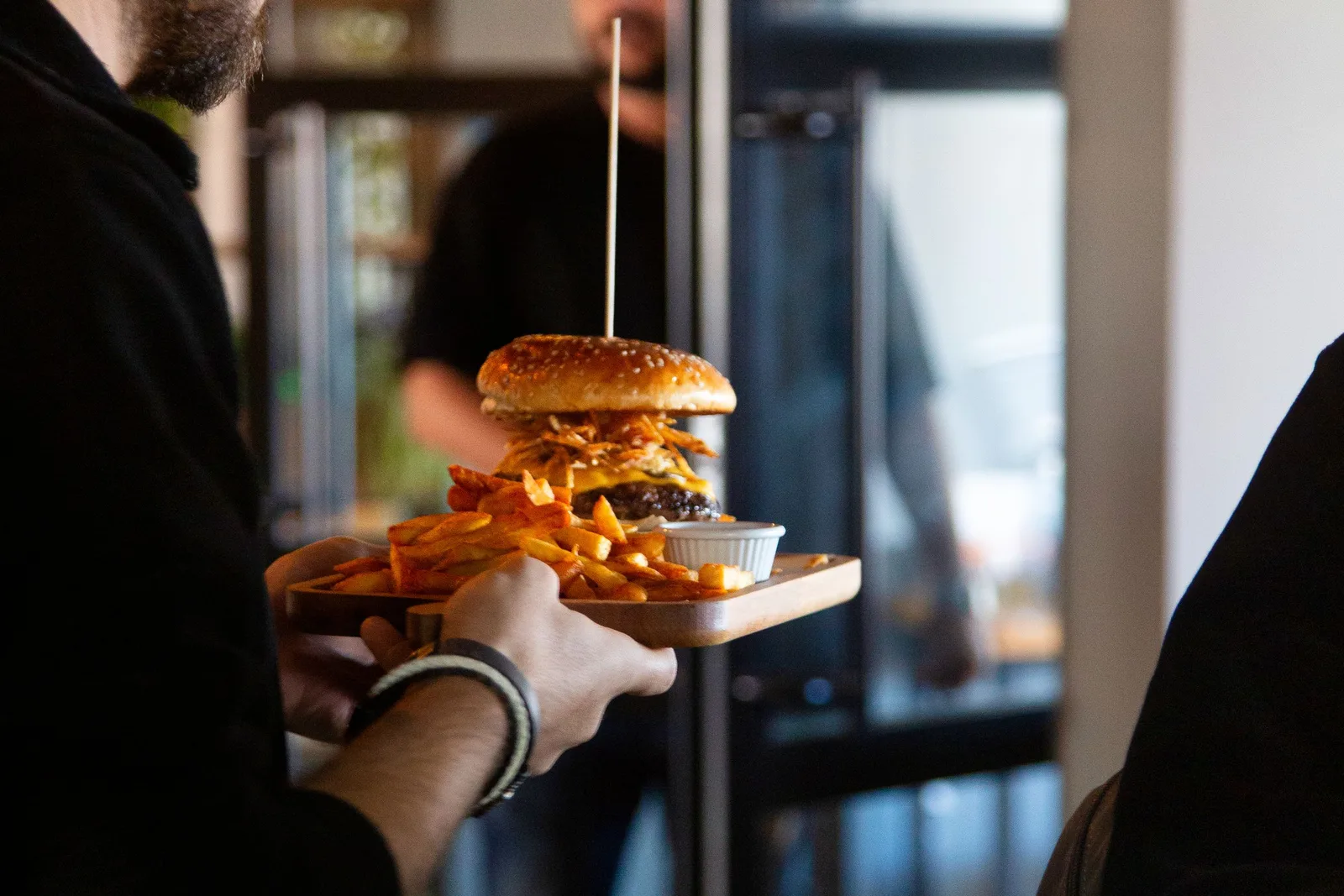
A waiter leaving the pass with a tray to run service

The waiter writes the order down and keys it in at the till

Yaygın sorun

The waiter writes the order on paper at the table or keeps it in their head, then walks to the till to enter it into the system. In a busy service a queue forms at the till, or the entries come out wrong.

dojofood'da

The waiter creates the order on the mobile app while still standing at the table. Unless there is a particular reason, they never need to visit the till all day; most of what the till does can be done from the mobile app.

Adding to a table reprints the entire check as a kitchen ticket

Yaygın sorun

The table wants dessert and the system prints out the table's whole history again. The cook reads the paper from the top to find which line is new, and sometimes makes a dish that already went out.

dojofood'da

Every new order on a table becomes its own round. Only that round's ticket goes to the kitchen, the table's history stays on the check, and each round is followed separately from the table detail.

Items cannot be separated by kitchen station

Yaygın sorun

Every item on the order is shown at every station, or the same ticket comes out of every station's printer. Each station has to pick its own items out of the kitchen ticket.

dojofood'da

Every item is tied to a kitchen station in the catalog; when the order is created the items are split and sent to the right stations.

Reaching for a calculator to split the check

Yaygın sorun

The table wants to split the payment and out comes a calculator, with rounding differences turning into an argument. The terminal stays busy through the whole transaction, so other tables wait in line to pay. And because a person is doing the arithmetic, a wrong split only surfaces at the end of day reconciliation.

dojofood'da

Whether the guest pays the whole check, pays by item, splits by number of people or pays in pieces with free amounts, all of it is done easily from the mobile app.

A guest moves tables

Yaygın sorun

A guest wants to move halfway through the meal, or two tables become one. On some systems that means entering the order again, with a second ticket going to the kitchen on top of it.

dojofood'da

You move the table across easily, or select the items and transfer them to another table. If you prefer, you merge the two tables into one.

An open check closing quietly

Yaygın sorun

The table is cleared but there is money still uncollected. The record sits somewhere nobody looks; it surfaces at the end of the day, and by then nobody knows whose table it was or why the payment was never taken.

dojofood'da

If a table carries a balance it cannot be set straight to available. It can still be closed when it has to be, with a reason: the guest left without paying, it was comped, there is a dispute, or other. The reason is entered, and you can route the action through a manager if you want to.

Check and payment

The app asks. The terminal charges. You keep the relationship.

When the waiter taps "take payment" in the mobile app, the amount to collect goes from the app to your card terminal along with the table reference. The guest taps or inserts their card and the payment is taken. dojofood never holds your money and never takes a cut of it; whoever you signed with for your terminal is still who you signed with.

The payment screen of the dojofood waiter app
Waiter mobile app

Opens the check, sets the payment method, starts the collection.

Card payment terminal
Card terminal

Reads the card, takes the amount from the app, returns the result.

From the mobile app you can watch the state of a collection while it runs. When it completes, the payment lands on the table's record, and how much was taken by which method is visible on the check.

On cash, the change due is calculated on screen. Receipts follow the rule where you operate: digital by default, thermal where you want a printed slip, and through a certified fiscal device in countries that require one. The receipt content always matches the ticket.

A payment you have taken can be refunded, and every payment is refunded the same way. Depending on how you want to run it, the refund is done by the waiter or routed through a manager for approval.

For a guest you run an account with, you can leave the check open. The table closes, but the balance waits on that customer's account and you collect it at a later date.

One system

The waiter app works with the rest of the system.

POS system

A table a waiter opens on the mobile app appears at the till too, and tables and orders can be run from either side. Point of sale (POS)

Kitchen screen

The order appears on the kitchen screen straight away. As orders are prepared, their status updates in the waiter app. Kitchen display (KDS)

dojofood mobile

Download the app, open it with your account.

Waiters run orders at the table and managers take the pulse of the business from the same app. There is no separate system to set up; you sign in with your dojofood account and see your own floor with your own menu.

Download on the App StoreGet it on Google Play

The download is free; using it requires a dojofood account.

dojofood mobile app screendojofood mobile manager dashboard
Who it's for

A waiter app that adapts to every kind of business.

Every business that does table service runs the same loop. The app is set up around the way your business works.

Frequently asked questions

What operators ask about the waiter mobile app.

Are the waiter app and the manager app two different things?

dojofood has a single mobile app. What changes is the interface: users see different screens according to their role and permissions, and use the app for different purposes. A user in the waiter role sees a different set of screens than a user in the manager role. One app, and everyone works on what their own role covers.

Which devices can waiters use?

The dojofood mobile app is on the App Store and Google Play. Anyone on an Android or iOS phone or tablet can download it and start. You do not have to buy new devices; the mobile devices you already own will do.

Can waiters use the app on their personal phones?

Nothing stops them technically. Waiters sign in with their own username and password from their own phone or tablet and use dojofood. Some businesses would rather their waiters did not use personal devices; in that case the team signs in with their own credentials on the phones or tablets the business provides.

How long does it take a waiter to get used to the app?

The screen works on the check-pad logic waiters already know: open the table, tap the item, mark the options, review the order, send it to the kitchen. dojofood users work everything out on their own, without special training. When you do need help, you contact the dedicated representative assigned to your business, or you reach out to us.

Can we write notes on an order?

Yes. You write the note on a single item or on the whole order. You can type it or dictate it by speaking, and the note travels to the kitchen with the order.

What do we do if a guest wants to move tables?

You move the table across as it is, transfer the items you select to another table, or merge two tables into one.

Can we split the check and take payment?

Whatever the guest asks for: the whole check in one go, split by item, split by number of people, or collected piece by piece by entering a free amount.

Where do I see whether a table still owes money?

On the tables screen for every table at once, and on the table's own detail screen for that table. At a glance you see whether a balance is left and how much it is.

How does the app work with our card terminal?

The waiter starts the payment from the app and the amount to collect goes to the terminal, along with the table reference. The guest taps or inserts their card, the result comes back to the app, and the payment lands on the table's record. Nobody keys the amount into the terminal by hand, so the figure on the check and the figure on the terminal can never drift apart. You keep your own processor and your own rates.

Can a payment be refunded from the waiter app?

Yes, you can refund any payment you have taken from the app. Depending on how you want to run it, the waiter does the refund or it goes to a manager for approval.

Can we leave the check open for a guest we run an account with?

Yes. On the payment screen you choose open account; the table closes, the balance waits on that customer's account, and you collect it at a later date.

Can a waiter comp an item or apply a discount?

You decide, as the business, whether waiters are allowed to comp and to discount. Where they have that permission, waiters comp or discount directly. Where you route it through a manager, the action takes effect once the manager approves it.

A discount can be a percentage or a free amount, applied to the whole order or to the items you select. In the same way you can comp an item, or the whole order.

What happens when an order has to be cancelled?

A cancellation asks for a reason, and you can route it through a manager if you want to. The reason list is defined in the system; you pick which order or which item is being cancelled. Cancellations are collected in the end of day cancellation report.

What happens if a table is cleared with an open balance?

If a table carries a balance it cannot be set straight to available. To close it you pick a reason: the guest left without paying, it was comped, there is a dispute, or other. The reason goes on the record, and you can route the action through a manager if you want to.

Does the app work without internet?

No, the app works online.

Can the app be used in other languages?

Yes. dojofood supports 15 languages. The language preference is per user, so waiters use the app in their own language.

Can I try it before buying?

Yes. We offer a 7 day free trial, and there is a 30 day money back guarantee on top of it. You try the app in your own business and decide from there.

Have questions? Let's talk.

Tell us your needs and your challenges. We'll show you how dojofood eases your operation.

Walk us through your current stack, your marketplace list, your volume. We'll show you exactly how dojofood fits, what it replaces, how to get started, and what it costs.