Kitchen display system (KDS)

A kitchen screen that takes work off the line.

Items from dine-in, takeaway and delivery orders flow to the right kitchens. What the item is, what the guest asked for and whether it is going to a table or into a bag all sit on the ticket. What's done clears with one touch.

Every channel on one screenStation routingOne-touch “item ready”Per-station time thresholdsKitchen performanceGuest preferencesItem-level notes
A touchscreen terminal running the dojofood kitchen display
Capabilities

What the kitchen screen does

Item routing by station

  • The kitchen an item is made in is set in the catalog
  • Hot, cold, bar: you decide how many stations there are and what they are called
  • Items in an order split to the right station, combos included
  • Every kitchen gets its own screen, and there is one that shows them all
  • In a chain, a screen shows only that branch's stations
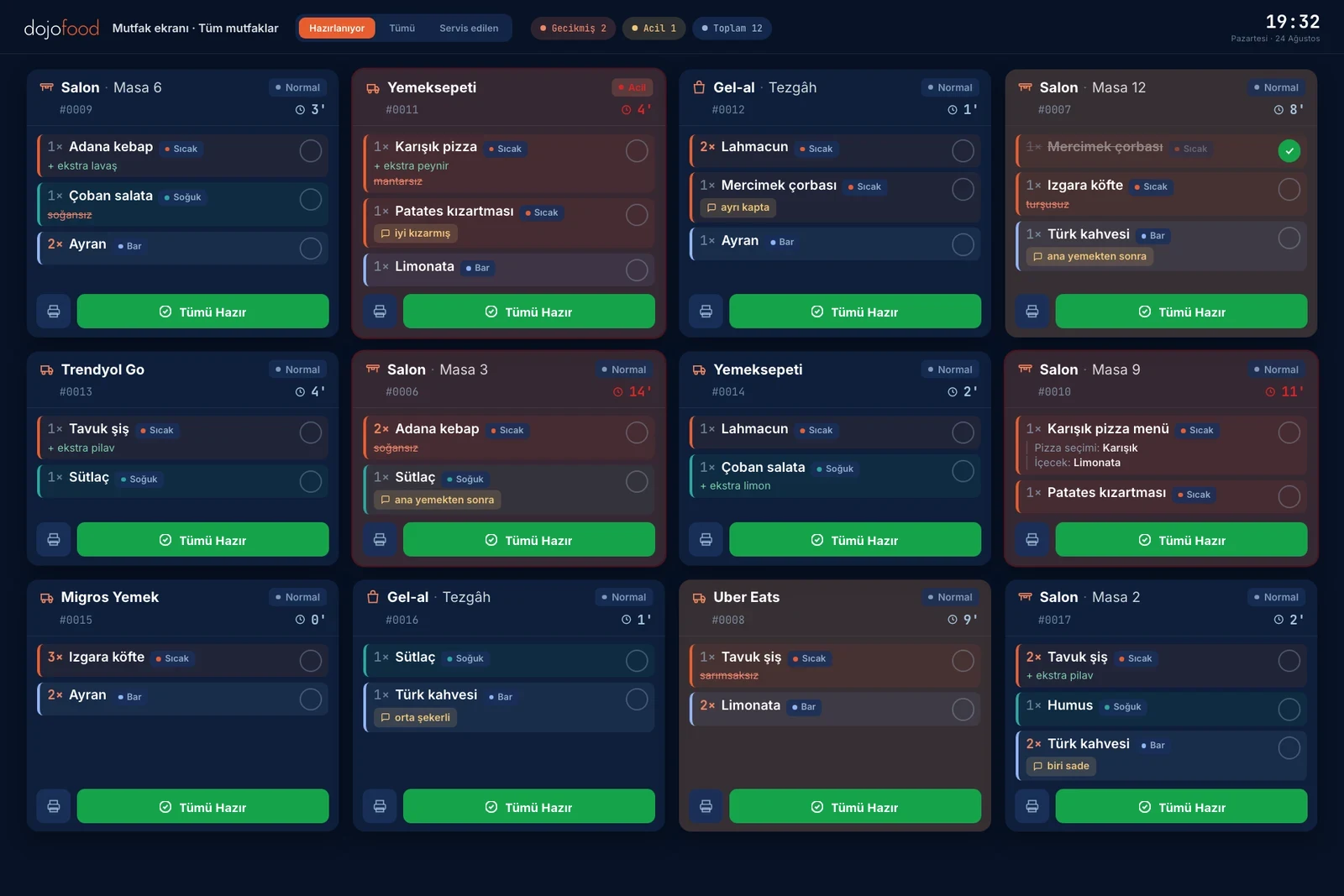
Time and urgency

  • The timer starts the moment the order is opened
  • Warning and critical minutes are set per station
  • Past the warning threshold a ticket turns orange, past critical it turns red
  • Tickets queue in arrival order; drag them into the order you want
  • A waiter can send an order to the kitchen flagged urgent

What's on the kitchen ticket

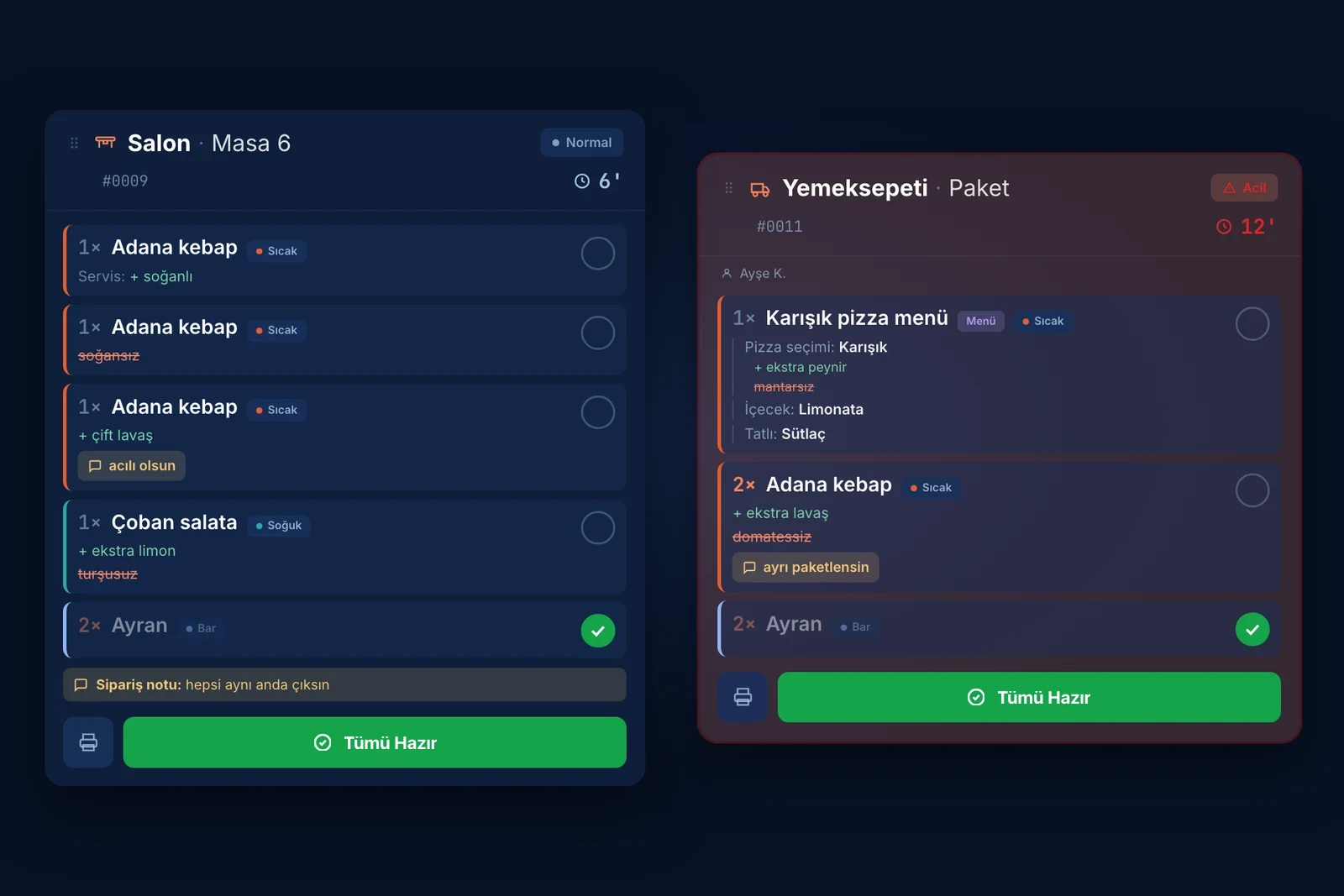
  • The order channel sits on the ticket; a bag and a table are easy to tell apart
  • Quantity, item name and options, no prices
  • Added ingredients in green, removed ones struck through in red
  • An ingredient taken out of the recipe shows on the ticket as well
  • Combo components are listed with their own options
  • The order note and the guest's request stay on the ticket

Order status and later rounds

  • One touch marks every item on the ticket ready
  • Or mark items ready one at a time
  • That status is visible on the POS and in the waiter app
  • A waiter or the POS sends an order as normal, low, high or urgent
  • A table's later order arrives with only the new items, never mixed with the old

Delivery and takeaway

  • Delivery platform orders land here too
  • Dine-in, takeaway and delivery move through the same kitchen flow
  • The channel is written in the corner of the ticket and colour-coded
  • Whether an item goes in a bag or to a table is easy to see
  • Options picked on the platform and the guest's note carry onto the ticket
  • Combo groups split correctly on delivery orders as well

Screen and handling

  • Runs on a tablet or a monitor; touch is optional
  • Opens in a browser, nothing to install in the kitchen
  • Tickets and item buttons are sized to be hit with gloves on
  • Light and dark themes; turn screen features on and off
  • Choose between detailed, compact and horizontal column views
  • The view you pick stays on that screen; every kitchen screen keeps its own

Printing

  • A ticket can print when the order reaches the kitchen
  • If you don't need paper, the screen alone is enough
  • Reprint any ticket from the screen whenever you want
  • Network, Bluetooth or USB printers

Reports

  • Service performance measured against the thresholds you set
  • Overall delays and how the load spreads across the day
  • Reporting by item
  • Reporting on ingredient consumption
  • Stock reports and current stock levels

Users, language and permissions

  • 15 interface languages, chosen per screen
  • Kitchen staff use the screen in their own language
  • Roles and permissions for kitchen staff
  • Orders cannot be cancelled from the kitchen screen; a waiter, the POS or a manager does that
A closer look

An easier kitchen.

Running the kitchen

Every channel routes to the right station

To the cook, a margherita is a margherita; where the order came from doesn't change how it's made. Dine-in, takeaway and delivery all enter the same kitchen flow and appear on the same screen.

Delivery stands out

Orders coming from delivery platforms are visually distinct on the kitchen ticket, so the kitchen knows to prepare them for the bag.

Late and urgent separate themselves

Orders past the waiting threshold, or flagged urgent when they were sent, separate by colour, badge and filter.

The all-kitchens view of the dojofood kitchen display, with dine-in, takeaway and delivery tickets side by side

What the ticket tells the cook

Same item, different preferences, no confusion

Three steaks on one order: one rare, one medium, one without the peppercorn sauce. Different preferences and guest notes on the same item become separate lines and clear separately.

A removed ingredient can't slip past

An ingredient taken out of the recipe sits under the item in red, struck through; additions show in green.

Combos open up

Every item inside a combo goes to its right kitchen and appears on the ticket with its own options.

No prices on the ticket

A kitchen ticket carries no money. Nothing that has nothing to do with cooking the dish stays on the screen.

Close-up of a kitchen ticket: a removed ingredient struck through, an added one in green, different preferences on the same item as separate lines

Kitchen stations

Pick your station

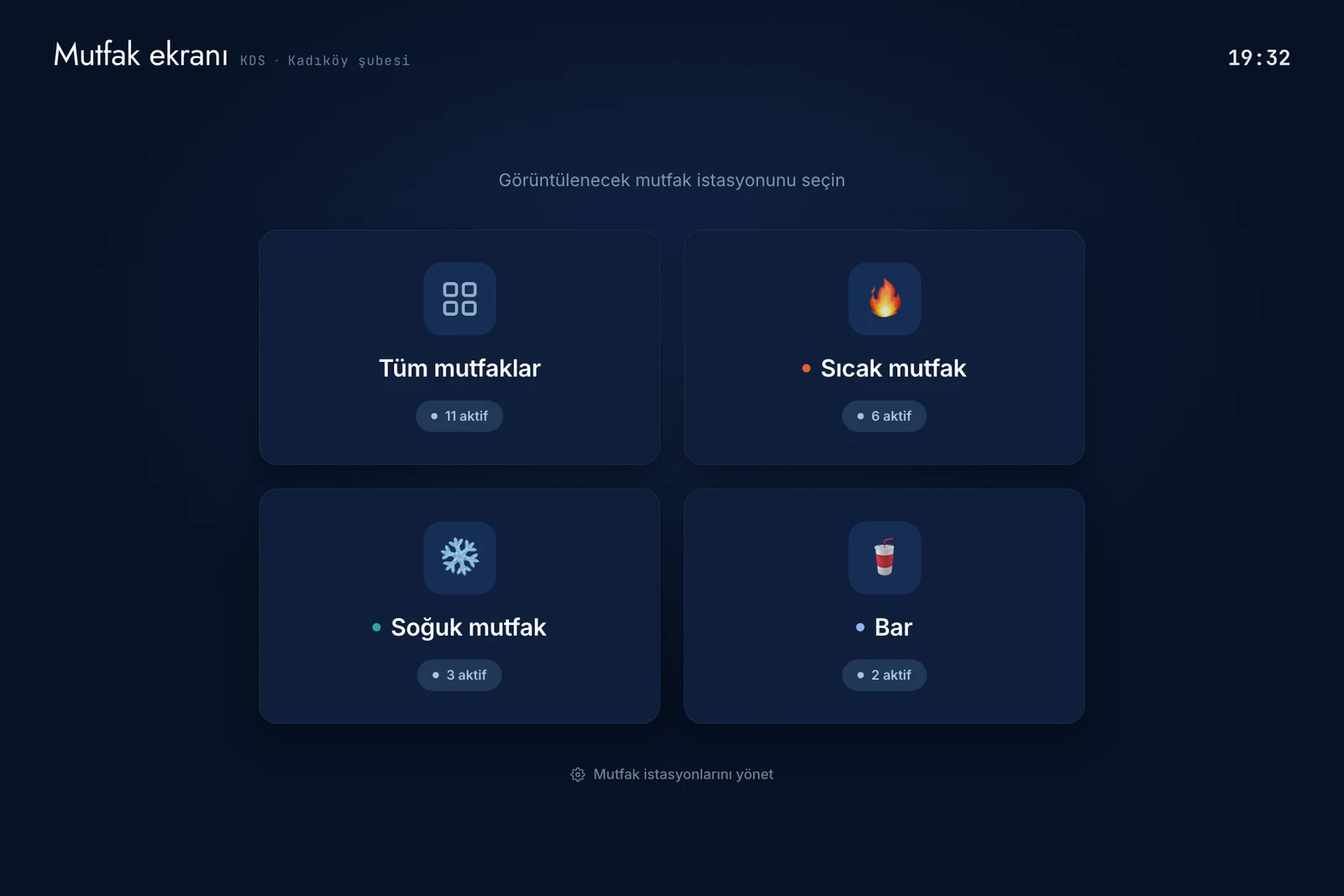
If you have defined more than one station, say hot, cold and bar, the screen opens with station cards. On the hot line you open the hot kitchen's screen.

Or all of them at once

To see everything together, open the all-kitchens screen or select all kitchens in the filter; every order in the restaurant's kitchens sits on one screen.

Open ticket count on the card

You can see where work is piling up without opening that station's screen.

Branches stay separate

Stations belong to a branch. In a chain each branch sees only its own kitchens, never another branch's.

Station cards on the kitchen display: all kitchens, hot, cold and bar, each with its open ticket count
Routing

Set an item's kitchen once and every order follows it.

What decides which screen an order lands on is the item, not the channel. Every item's kitchen is defined in the catalog, and an order splits by that definition whether it came from the dining room or from Uber Eats. Printing splits the same way, station by station.

Table
Uber Eats
Wolt
Bolt Food
Deliveroo
Take-away

The order that arrived#0042Table 6

  • 1×Caesar salad
  • 2×Beef burger
  • 2×Sparkling water
  • 1×Margherita pizza
  • 1×Burrata
  • 1×Espresso

six lines, three stations

the channel decides nothing

The catalog rule runs

the kitchen the product goes to

  • Set per product

Kitchen printer

the same rule drives the printed ticket

each station's ticket carries only its own lines

  1. Order placed
  2. Preparing
  3. Ready
  4. Served

All stations. Ticket step: Order placed.

Delivery

Delivery orders on your kitchen screens.

Delivery integrations are part of every dojofood plan, with nothing extra to pay. Orders from delivery platforms show up on your kitchen screens the same way your table orders do.

DeliverooJust Eat

Explore delivery integrations →

From the field

Where kitchens get stuck.

The bottlenecks we run into most often, and how dojofood clears them.

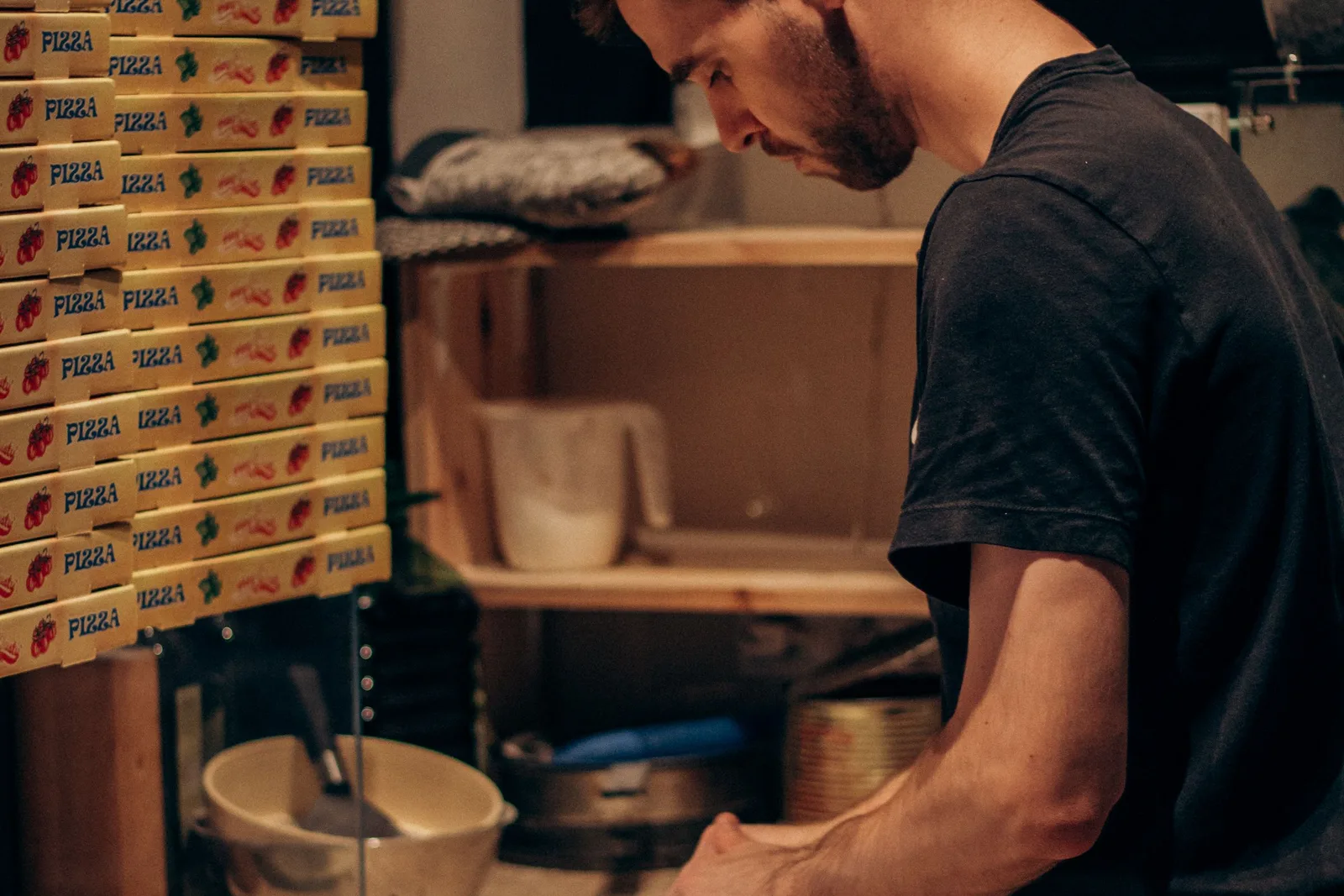
A cook working the prep line with delivery boxes stacked behind

A later order reprints the whole table

Yaygın sorun

The table has finished the mains and now wants dessert and coffee, but the printer spits out everything on the table, mains included. The waiter has to walk to the kitchen and explain what's actually new, and sometimes a cook makes a dish that already went out.

dojofood'da

Every later order on a table opens as its own round. Only that round's ticket reaches the kitchen screen and only that round's items print. The table's history stays on the check, not in front of the kitchen.

Items can't be split by kitchen

Yaygın sorun

Some systems can't work out which kitchen an item belongs to. Even with several kitchens, every station sees the whole order when it arrives, and the cooks have to pick out the items that are theirs. That's extra work and a standing risk of something being missed or made twice.

dojofood'da

Each item is tied to its kitchen once, in the catalog, and every order follows that regardless of channel. Take a burger meal: the burger and fries belong to the hot kitchen, the soft drink to the drinks station. The system splits the meal on its own and sends each item where it belongs. The station's printer produces only that station's items.

The paper ticket goes missing

Yaygın sorun

It falls behind the counter, a grease mark makes it unreadable, thermal paper darkens in the heat, or the roll runs out and nothing prints at all. When a ticket disappears, the first person to notice is usually the guest waiting at the table.

dojofood'da

Use paper and the kitchen screen together, or just one of them. With both, the digital ticket stays on screen until the items are made. And a ticket cleared by mistake can be pulled back from the served filter.

Delivery orders that never reach the kitchen properly

Yaygın sorun

Many order systems charge for delivery integration, so restaurants avoid it. Delivery then gets run from each platform's own screen and passed to the kitchen by hand, separate from the table system, so there is no single kitchen flow. And some systems that do integrate still can't split a delivery order by kitchen, so the whole order shows up at every station.

dojofood'da

dojofood includes your delivery platform integrations in every plan at no extra cost. Delivery orders enter the same order flow as table orders and are managed together whatever the channel. And because platform items are mapped to your dojofood catalog, the items inside those orders split to the right station.

The guest's note gets missed

Yaygın sorun

"No onion" sits in small print at the bottom of the ticket, or lands in a field of its own. It gets noticed after the plate is out: the dish comes back and you've lost both the food and the time.

dojofood'da

A removed ingredient appears under the item's own line, in red and struck through; additions sit there in green. An ingredient taken out of the recipe shows in the same place, not tucked away in another panel.

Same item, different preferences, all jumbled

Yaygın sorun

Four burgers go in: one rare, one without onion and with extra cheddar, two standard. Most systems collapse that into "4× burger" and squeeze the notes into one field. The kitchen has no way of knowing which burger is which.

dojofood'da

When items differ by option, or when some of them carry a note, they are listed as separate lines: the rare one on its own line, the no-onion-extra-cheddar one on its own, the two standard burgers together. Items, preferences and notes stay legible on the line.

Nobody is measuring the wait

Yaygın sorun

Tickets sit on the pass, but there's no telling when each one arrived or which has blown past the time you consider acceptable. The oldest ticket usually ends up at the back, and the order of work comes down to whoever shouts.

dojofood'da

Measurement starts with the order. For as long as you consider reasonable the card stays plain; past the warning threshold it turns orange, past the critical one red. You set the warning and critical minutes per station. The count of late orders sits at the top of the screen. The flow through the kitchen and the times items were made are on the record, and kitchen performance is broken out in reports.

Language and interface get in the way

Yaygın sorun

Not everyone in the kitchen speaks the same language. If the screen is stuck in one, item names and statuses get tracked from memory and a new starter spends the first week guessing. On top of that, one person wants as many tickets on screen as possible while the next wants fewer with more detail, and most systems don't let you choose.

dojofood'da

The interface runs in 15 languages, picked per user and per screen. In the same kitchen one screen can be in English and the next in Arabic, so a mixed team works side by side. Each screen also sets its own layout: detailed, compact or horizontal columns.

How it fits together

The kitchen is a load-bearing part of the system.

Where the order comes from

Dine-in orders come from the POS and the waiter app, delivery orders from the integrations; all of them enter the same order flow. Point of sale (POS)

What decides the station

Which kitchen makes which item is defined in the catalog, so routing updates with the menu. Catalog and menu management

What the screen runs on

Commercial-grade screens, mounting, hygiene and networking are a subject of their own; it's all on the hardware page. Kitchen display hardware

Hardware

Start with whatever screen and printer your kitchen already has.

If the kitchen screen you own can open a browser and reach the internet, it can run dojofood. As a rule you don't need to buy a new screen or printer. If something is missing, or you want to replace ageing hardware, we can point you to devices we're happy to recommend.

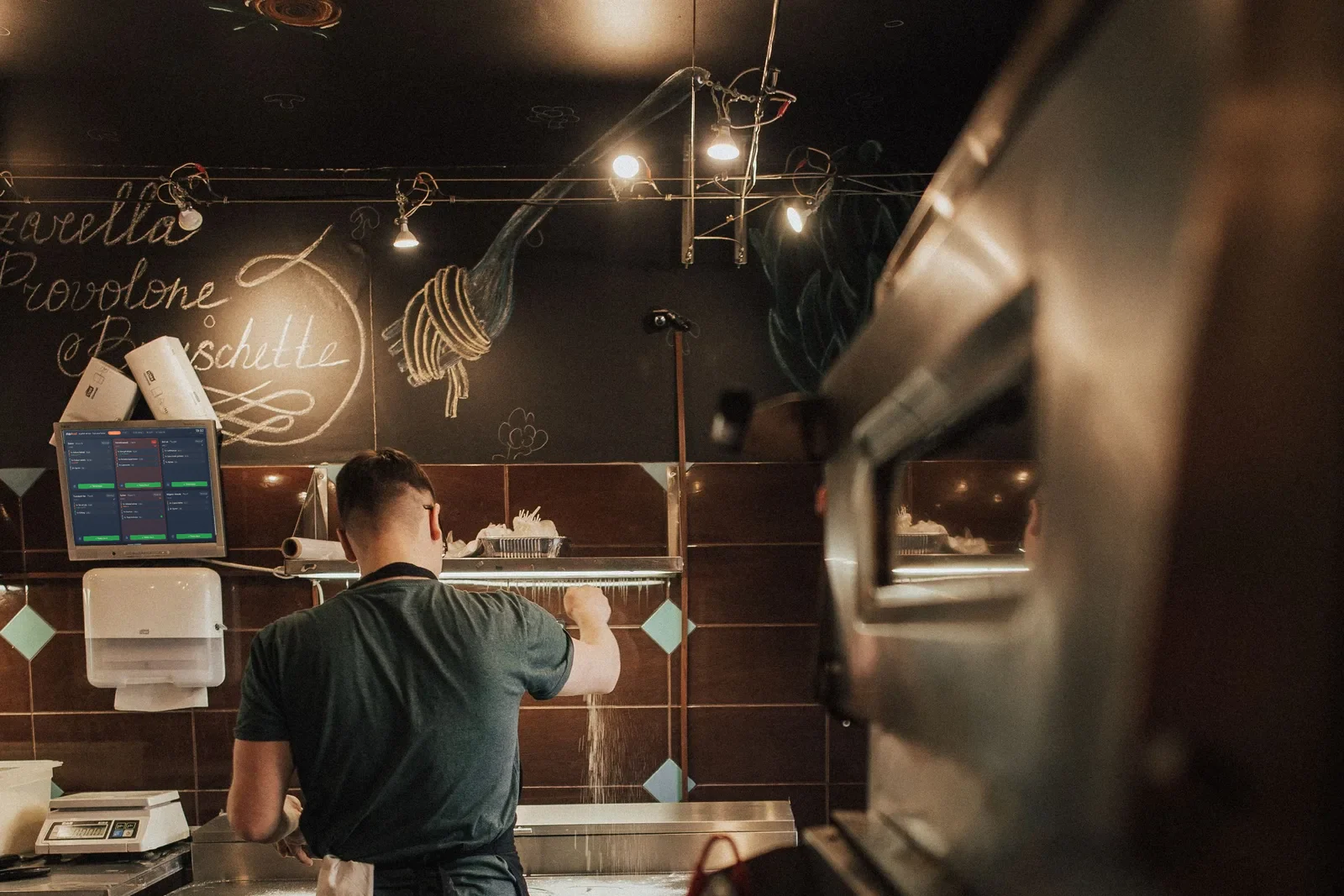
A kitchen display mounted on the wall above the line, with a cook working the counter
Who it's for

A kitchen screen that adapts to how you work.

From a single-station café to a chain running several kitchens, the same screen is set up around your flow. Pick your type of business and see what we've done for operations like yours.

Frequently asked questions

What operators ask about the kitchen display.

What is a kitchen display system (KDS)?

A kitchen display replaces the paper ticket with a screen. Orders from dine-in, takeaway and delivery all land on it, and the kitchen sees exactly what it needs to cook. When an item is done, your team marks that item, or the whole ticket, as ready and clears it. A single order can contain items belonging to different stations; each item goes to the kitchen you assigned it to in the catalog.

Do I need to buy special hardware for the KDS?

No. The kitchen display runs in a browser. If the tablet or monitor you already own can open a browser and reach the internet, it can run dojofood. A touchscreen is optional. If you are missing a screen or want to replace an old one, you can request a quote from the hardware page for devices we consider suitable for a kitchen.

Do delivery orders show up on the kitchen screen too?

Yes. Delivery integrations are included in every dojofood plan at no extra cost. Delivery platform orders land on the same screen as your dine-in and takeaway orders, and whatever the guest picked and typed on the platform comes through on the ticket. Once you map the platform's items, combos especially, to your own catalog, the items inside a delivery order get split across your kitchen stations too.

How is it decided which station an item goes to?

You set the kitchen for each item once, in the catalog. Whatever channel the order arrives from, items split by that setting: the grill goes hot, the salad goes cold, the cocktail goes to the bar. Combos split as well. Take an XL Burger Meal: burger, fries and a drink. Delivery platforms usually treat a combo as a single item with options attached. dojofood breaks it apart: burger and fries to the hot kitchen, drink to the bar.

I have several kitchens. Can I see them all on one screen?

Yes. In normal service each station opens its own screen and sees only its own tickets. Managers usually want the whole picture, so there is also a consolidated screen for every kitchen in the branch. In the all-kitchens view the tickets from every station are listed together, and each item line carries the station it belongs to.

How do I know a ticket is running late?

Every kitchen ticket has a timer that starts the moment the order is opened. While it is within time the card looks normal; past the warning threshold it turns orange, past the critical threshold red. The number of late tickets is shown at the top of the screen, and you can turn on a sound alert. Kitchen performance is also available in reports.

Can I set the warning and critical times myself?

Yes, per kitchen. You decide the warning and critical minutes for each one. The bar can count as late at five minutes while a slow hot station is still fine at twenty. If an order was split across several stations, each ticket is measured against its own station's threshold.

I marked everything ready by mistake and the ticket disappeared. Can I get it back?

Yes. The screen has an order status filter. Pick the served ones and you will find the tickets you cleared; unchecking an item that was marked ready puts it back into preparation. The timer does not reset; it has been running since the order was opened, so you see exactly how long the ticket has been waiting.

If an order has several of the same item, do the options and notes get mixed up?

They do not. Picture three guests ordering the same pasta: one wants extra chilli, one wants it without parmesan, one wants an extra portion of sauce. Many order systems roll this into a single 3× line and pile the notes into one field, which leaves the waiter telling the kitchen out loud which note belongs to which plate. In dojofood, items carrying an option or a note are listed as separate lines and cleared separately. Quantities that share exactly the same options and note stay on one line.

If a table orders again later, does the whole ticket get reprinted?

No. Every later order on a table opens as its own round. Only that round's ticket lands on the kitchen screen, and only that round's items come out of the printer. The table is not reprinted from the top.

Can I keep using paper tickets instead of the kitchen screen?

Yes, and the two work together. You can build the printer rule on the same kitchen definition the screen uses; rules are defined by item, by category or by kitchen. You can also reprint any ticket from the screen.

Will the cooks struggle to get used to it?

The screen follows the ticket logic a kitchen already knows: a ticket arrives, it gets made, it gets cleared. The buttons were kept big enough to hit with gloves on. Kitchen teams at restaurants running dojofood tell us they had no trouble picking it up.

Not everyone in my kitchen speaks the same language. Can each screen run in its own?

Yes. The kitchen display runs in 15 interface languages and the language is chosen per screen. In the same kitchen one screen can be in English while the one beside it is in Spanish, Arabic or Dutch.

Can I try it before buying?

Yes. You get 7 days free, plus a 30-day money-back guarantee. Run it in your own kitchen with your own menu and decide from there.

Have questions? Let's talk.

Tell us your needs and your challenges. We'll show you how dojofood eases your operation.

Walk us through your current stack, your marketplace list, your volume. We'll show you exactly how dojofood fits, what it replaces, how to get started, and what it costs.