Point of sale (POS)

Your restaurant's point of sale.

Dine-in orders, delivery, payment, checks and the end of day: all of your business's sales come together on this screen.

Delivery ordersCard terminal integrationKitchen routingStock and reports
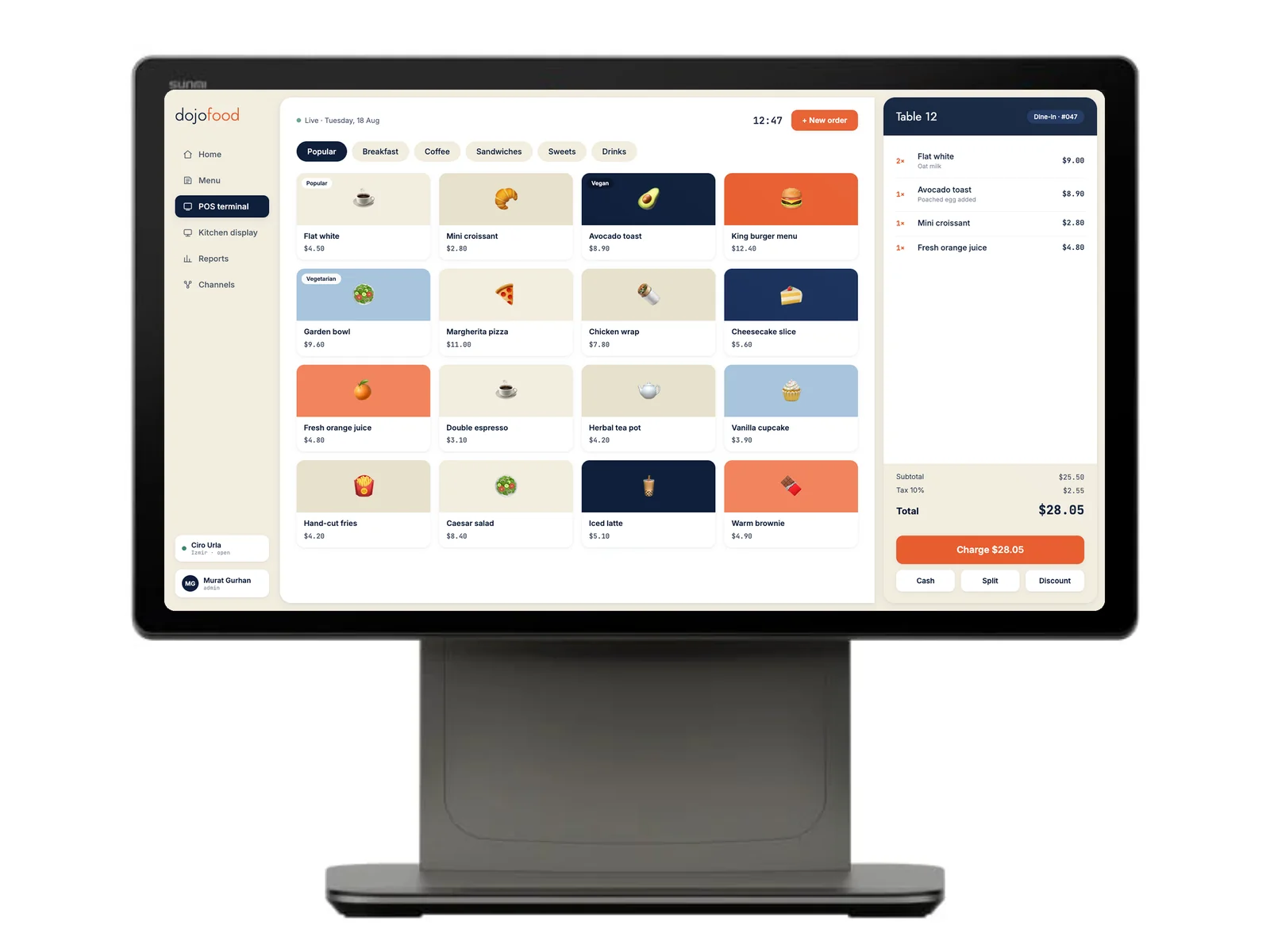
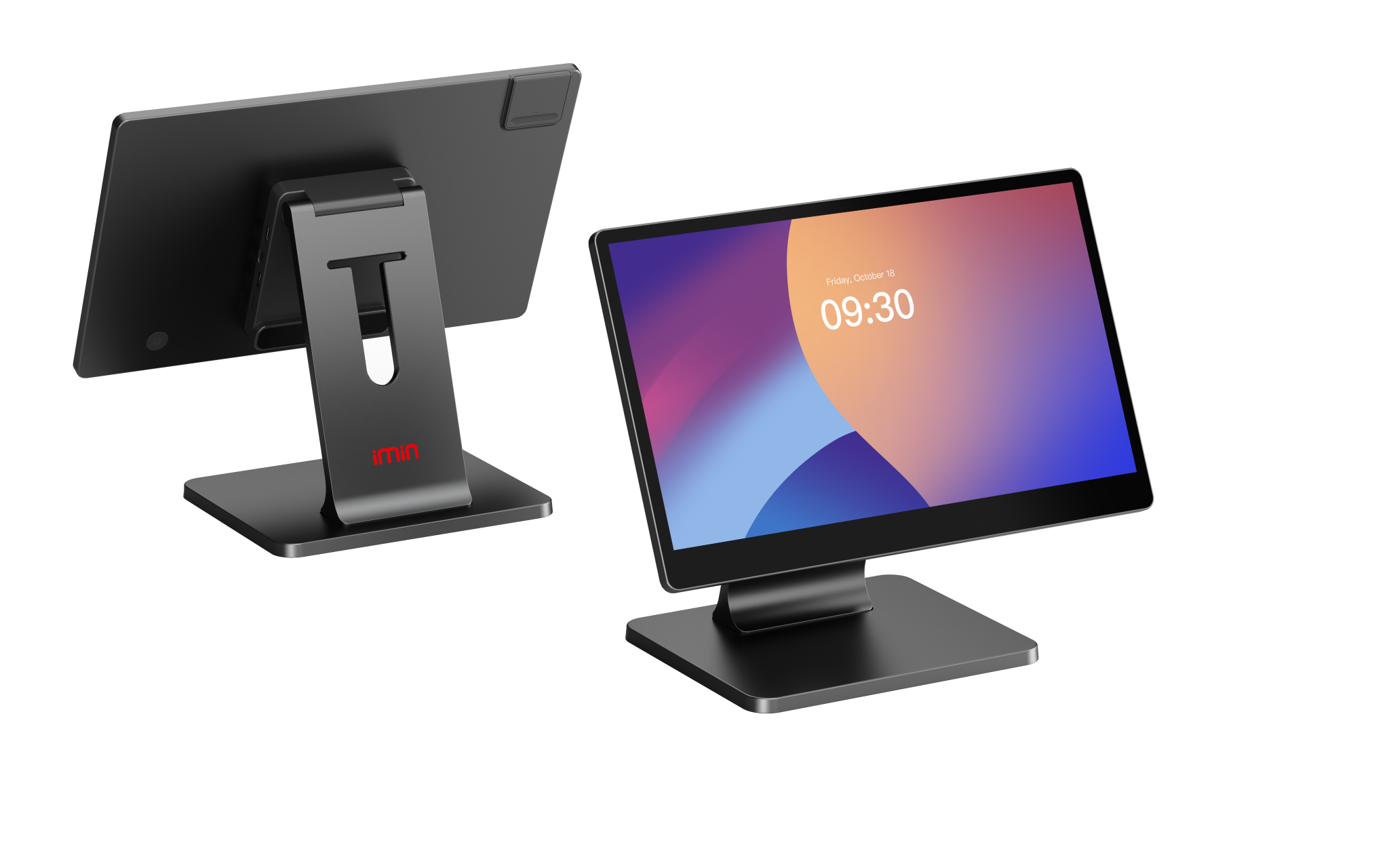
A Sunmi D3 Pro terminal running the dojofood POS interface
Capabilities

What stands out

Every order type

  • Table orders, phone orders, takeaway and delivery, all on one screen
  • Category and item grid, item search, tag and allergen filters
  • An item with no options goes into the basket in one tap
  • Required and optional option groups, combo menus
  • A separate note on each unit when you add several of the same item
  • Order notes and special requests per item
Tables and checks

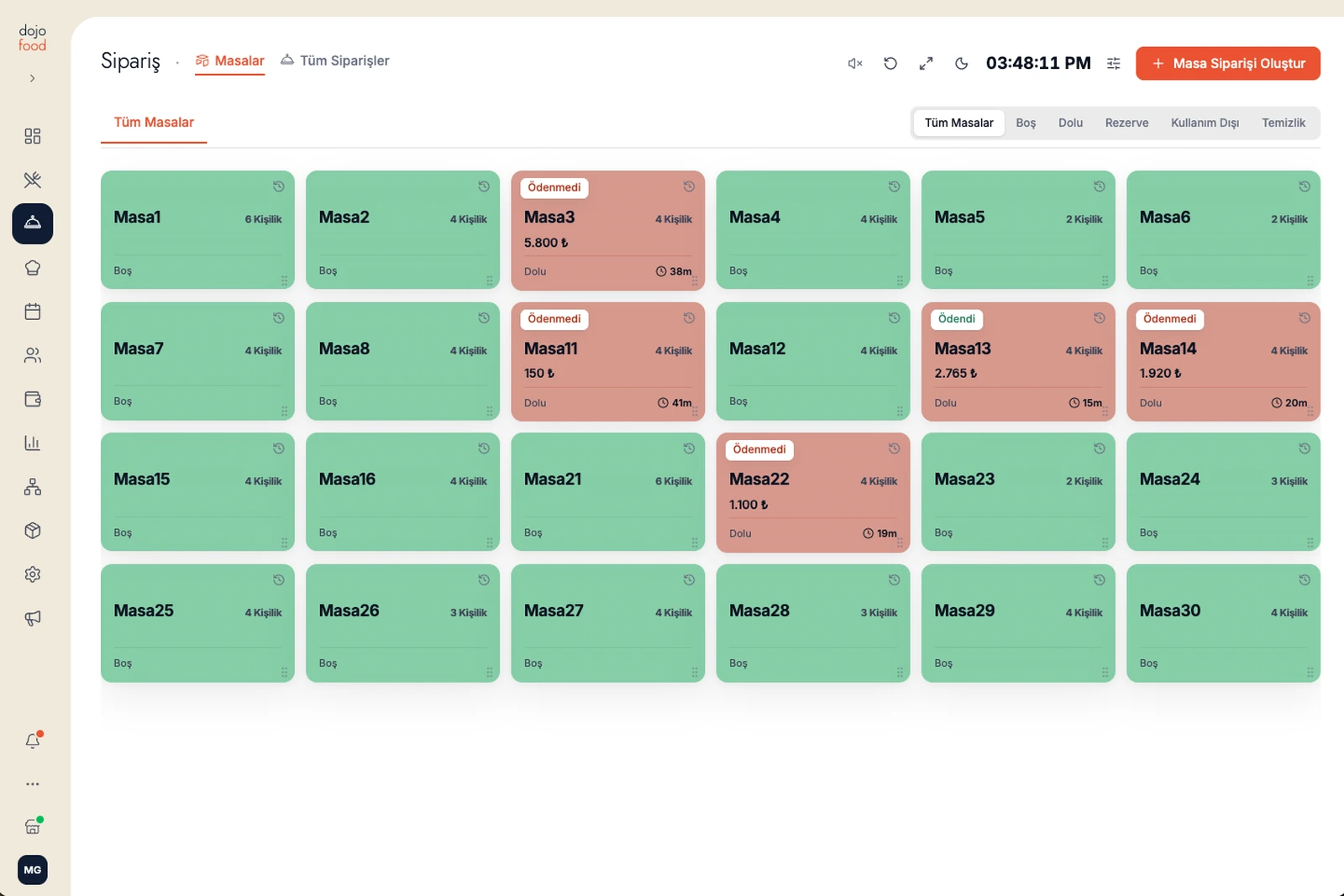
  • Floor plan with areas: empty, occupied, reserved, being cleaned
  • Moving a table across to another table as it is
  • Merging two tables into one
  • Transferring items between tables, by quantity
  • Every later order is followed as its own round
  • The table card shows the open amount, what was collected and what is left

Payment and splitting the check

  • Collecting the whole check in one go
  • Even split: you choose how many ways
  • Paying for selected items, by quantity
  • Partial payment by entering a free amount; the remainder shows on the table
  • Cash, credit card, debit card, mobile wallet
  • Tips and change due on cash; discounts by table or by item

Card terminal integration

  • The amount to collect goes from the POS to your terminal, with the table reference
  • The cashier never keys the amount into the terminal
  • The state of the transaction is followed on screen, and cancelled from the POS if needed
  • Card data never enters the application at any point
  • You keep your own processor, your own contract and your own rates
  • Receipts print digitally, to a thermal printer, or through the certified device your country requires

Kitchen and tickets

  • Which kitchen an item goes to is set on the item card
  • Printer rules by item, by category or by kitchen
  • A separate kitchen ticket for each round on the table
  • Kitchen screen: station filter, bump by item, time warnings
  • 58 and 80 mm thermal printers; network, USB or Bluetooth

Delivery

  • Delivery platform orders on the same screen as dine-in orders
  • Accepted, preparing, ready and on the way, all from one place
  • Opening and closing a platform per branch, with its own working hours
  • A different sale price per platform
  • Every option and guest note reaches the kitchen intact

Menu and catalog

  • One catalog; menus by branch and by sales channel
  • AI menu import: a PDF, a photo or the address of your QR menu
  • Option groups, combos, menu tags
  • QR menu and a QR code per table; the guest can order from the table
  • 15 interface languages, multilingual menu

Reports and the team

  • End of day reports: sales, payment, kitchen, item, cancellations and more
  • Export to Excel or CSV
  • Role based access: the waiter sees the POS, the kitchen sees the kitchen screen
  • A reason is required on every cancellation
  • Reservations: tap the table and the guest, time and cover count appear

Cloud infrastructure and devices

  • Cloud based: one system from order entry through payment to the end of day
  • Records live in the cloud, not on the device; every branch and every device sees the same thing
  • iPads, Android tablets and standard POS terminals
  • Use it from a phone or a tablet; a basket drawer on mobile
  • Touch kiosk mode: full screen, large touch targets
  • Mark what sells most as a favourite for quick access
  • Light and dark themes
A closer look

From the order to the table, from payment to the report.

Order entry

Fluid enough for a busy service

Finish what you are doing quickly, with the fewest taps.

Turn a phone, a tablet or a computer into a POS

Your phone, your tablet or your computer: whichever you have becomes the POS.

Run every order from one screen

Table, takeaway, delivery: orders from different channels are run end to end on one screen.

Set item options in one place

Options (small, medium, large) and removals (onion, tomato, lettuce) are set on the order itself, so you never tour screen after screen.

See where an order is in the kitchen

When an order is created, its items are split and sent to the right kitchens. You follow where each item stands from the POS screen.

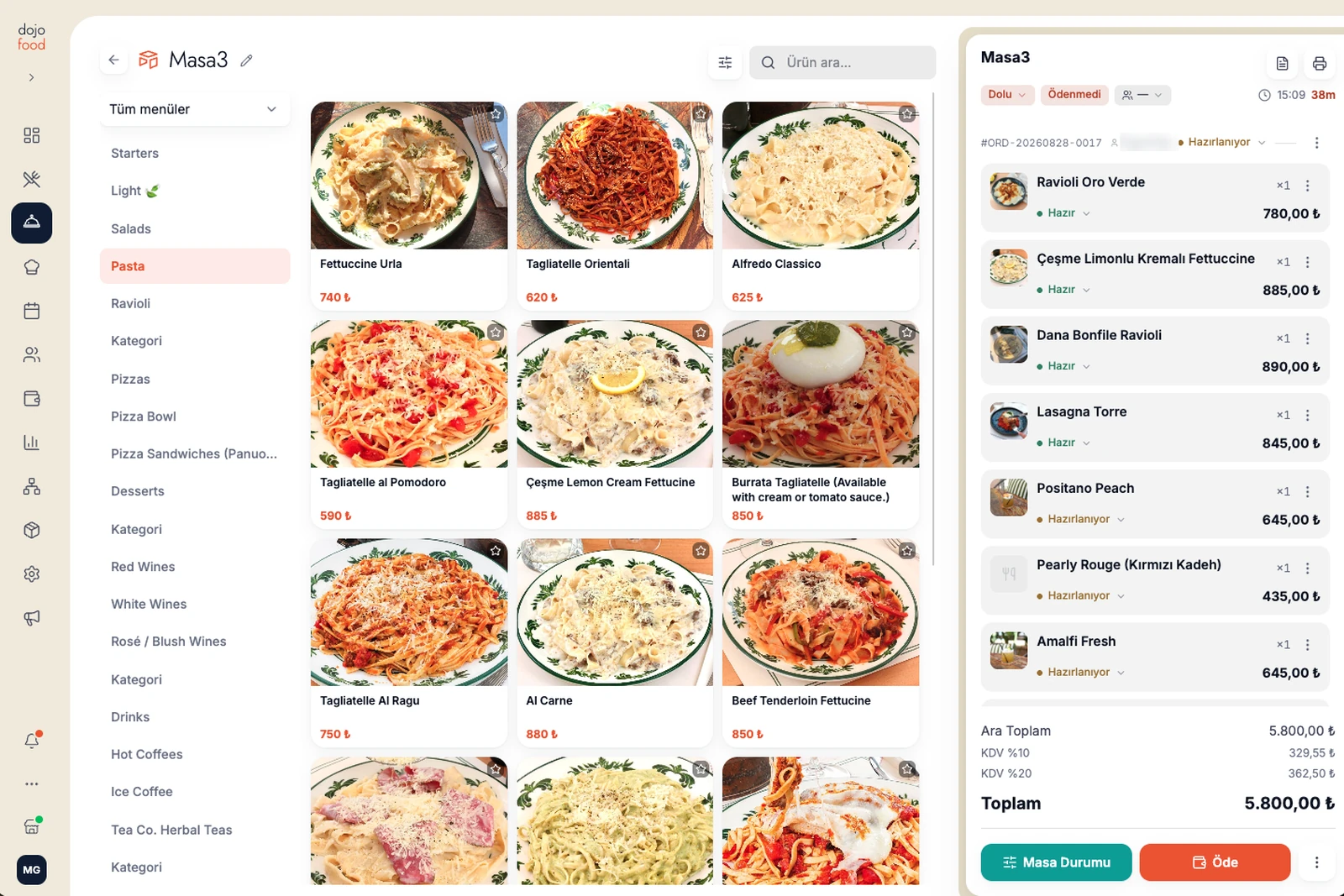
The dojofood POS order screen: menu categories on the left, item cards in the middle, the table's open check on the right

Floor and tables

Table layout

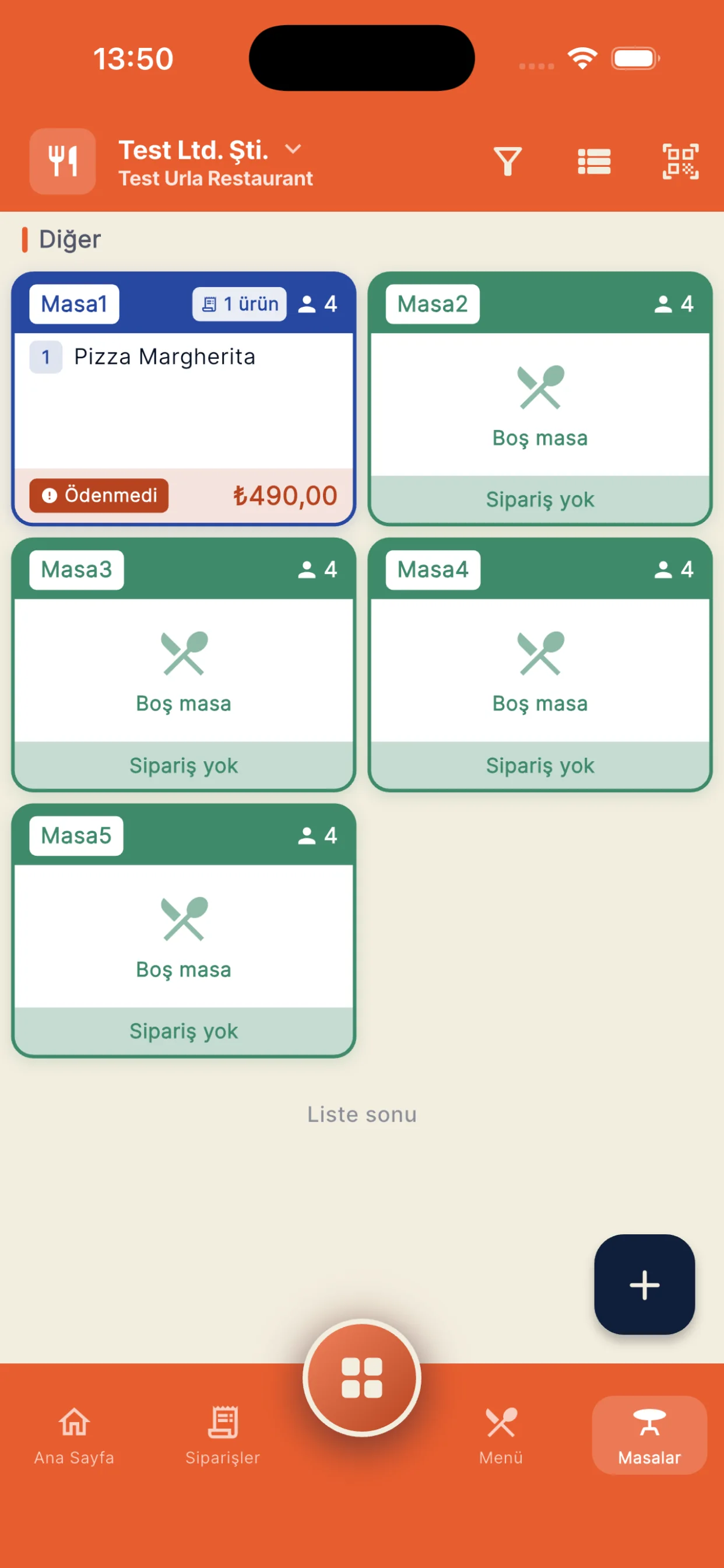
Create areas like the main room, the garden or the terrace and place the tables in them. Follow how full each area is against the layout you built.

Moving, splitting and merging tables

If the party moved, move the table across as it is. If it split, split the table; if it came together, merge the tables.

Table reservations

Reserve tables for your guests, and see the guest's name, the reservation time and the cover count whenever you want.

The dojofood floor plan: empty tables in green, occupied tables in red with their amount and elapsed time

Payment and the till

The terminal does the card work

When the cashier opens the payment on the dojofood POS screen, the amount goes to the terminal with the table reference. Nobody keys the figure in by hand, so the check and the terminal always agree.

Split the check however you like

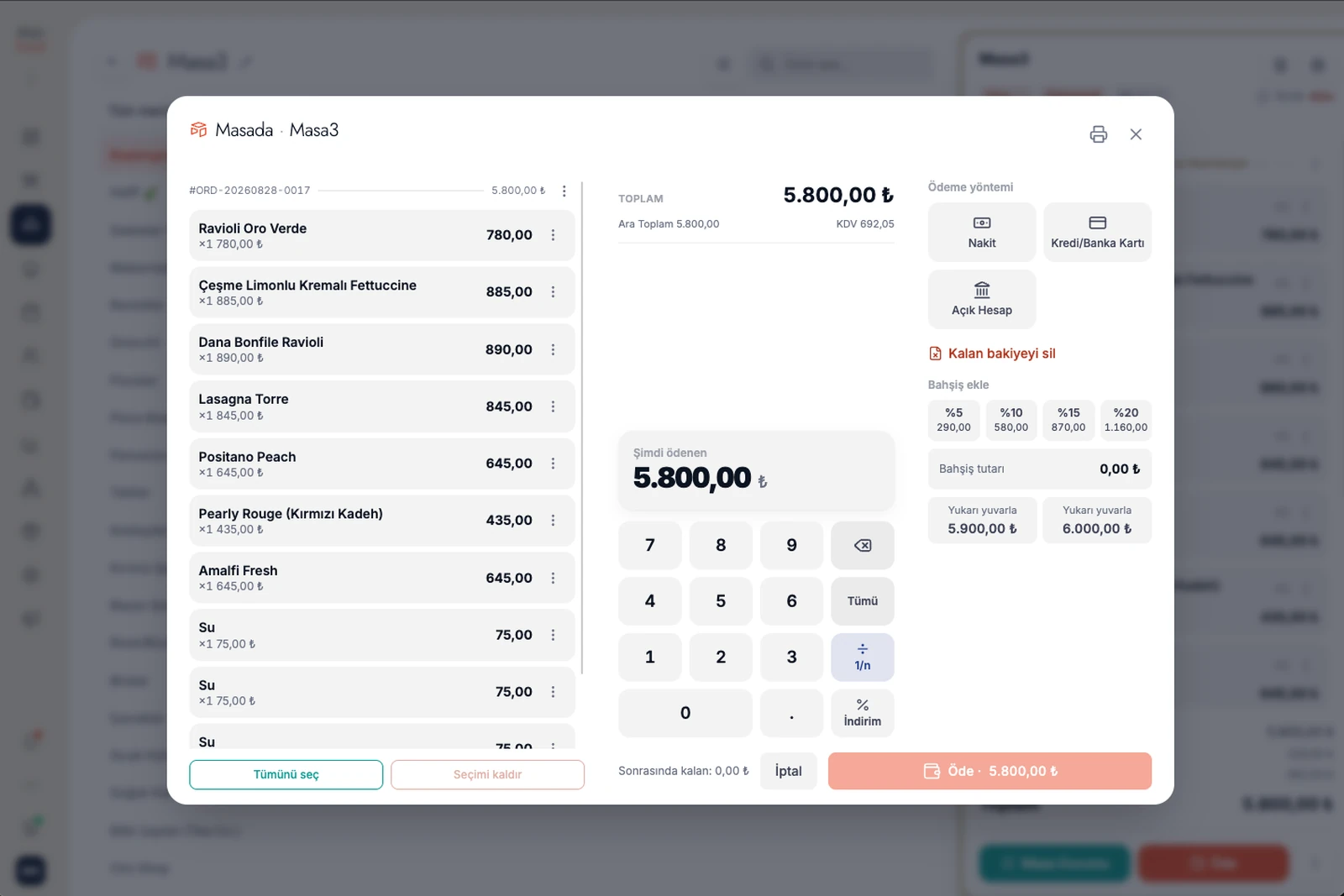
Whether your guest splits it evenly, pays by item, or pays in pieces with free amounts, all of it is easy.

A separate receipt for each split payment

When you split the check, each payment can produce its own receipt, printed the way your country's rules require.

Tips

Preset percentages, a free amount, or rounding up. A tip never mixes into the amount to be collected; it is recorded as a separate line above the check and totalled by payment method in the end of day reports.

Discounts and comps

Apply a discount at table or item level, and comp individual items.

The dojofood payment screen: check lines, payment methods, tip and round-up options

End of day and reports

End of day reports

View your sales, payment, item, kitchen and cancellation reports, and export them to Excel or CSV.

Every order report in one place

Bring dine-in, takeaway, phone and delivery sales into one report, and look at the channel breakdowns separately.

Reports in your pocket

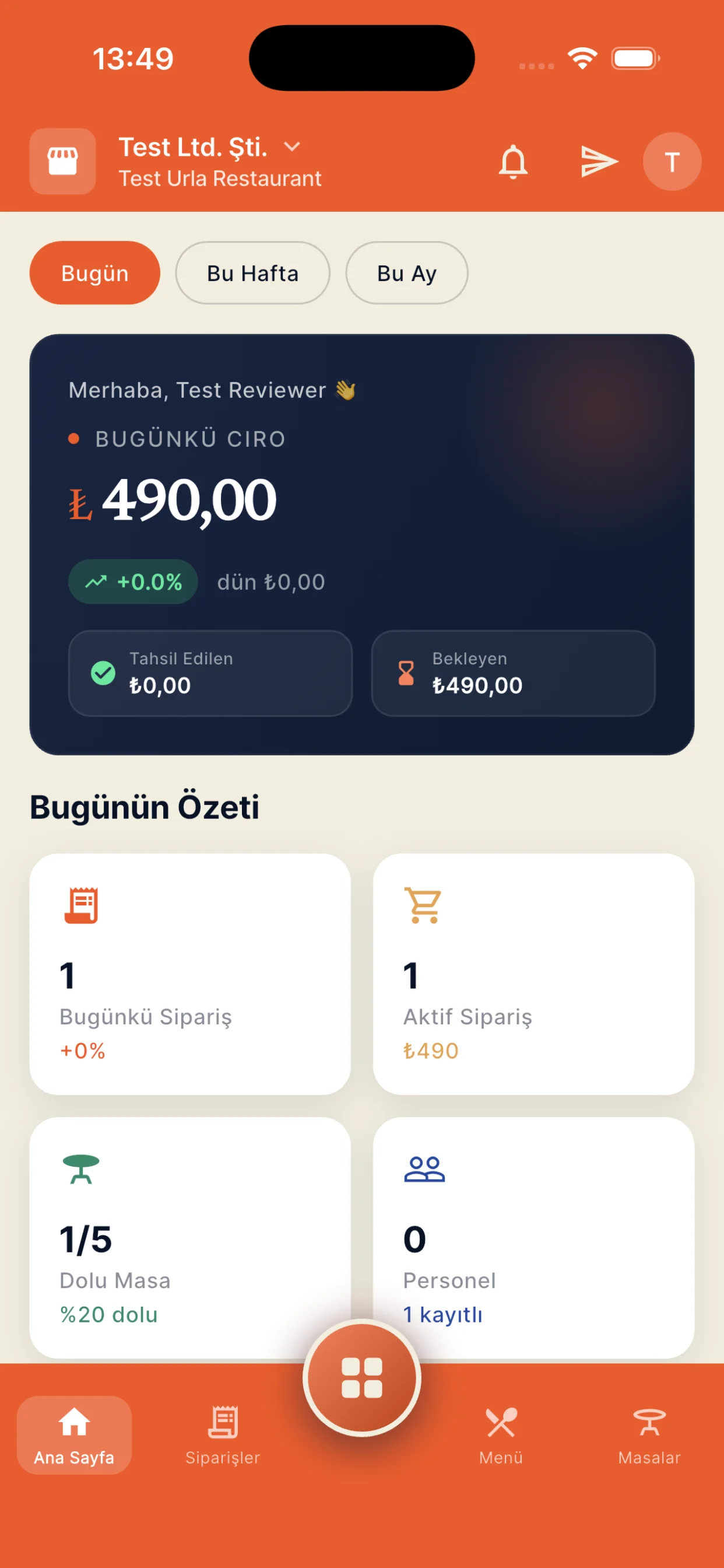
With the dojofood mobile app you follow daily sales and end of day reports from your phone.

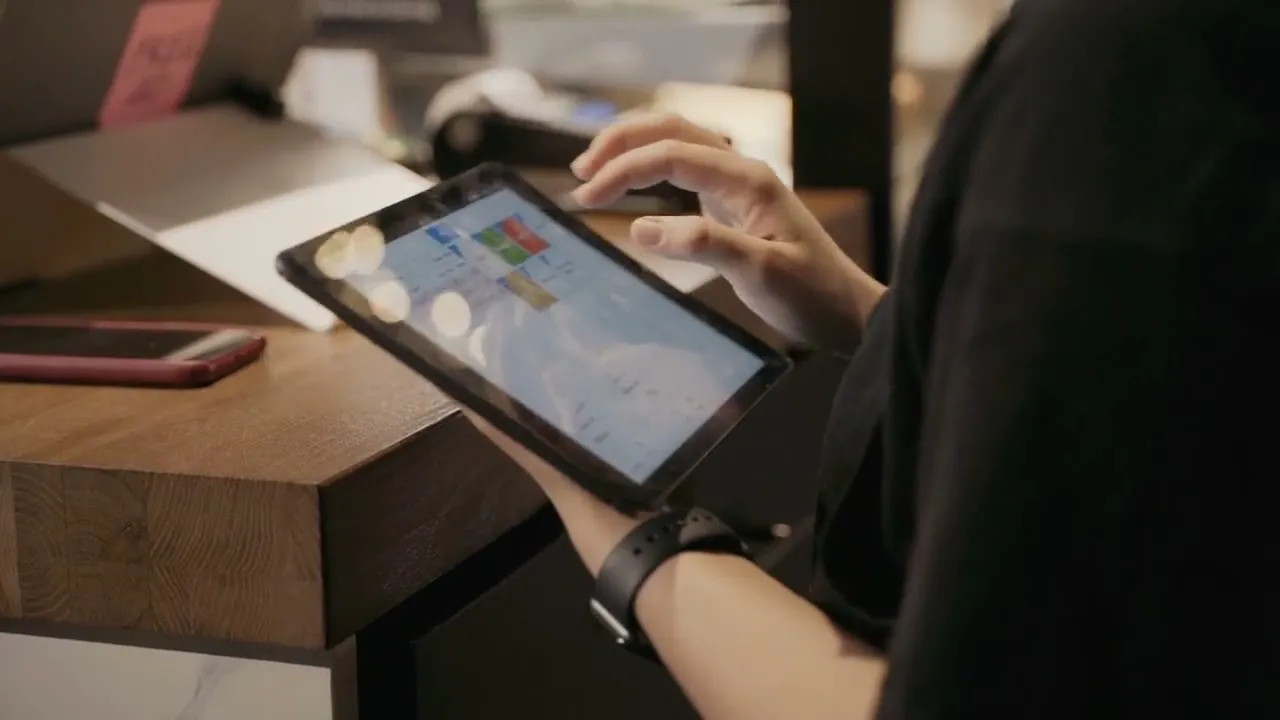
An operator going through sales reports on a tablet
From the field

Common problems with a POS.

The blockages operators changing systems describe most often, and how dojofood resolves them.

No support after the sale

Yaygın sorun

The best known problem in this industry: once the system is installed, support gets hard to find. Something goes wrong and you join a queue at a call centre. Sometimes it gets resolved, but most of the time operators are unhappy because they cannot reach the right person, or because their problem never gets solved.

dojofood'da

Every business has an account manager. You write to them directly when you get stuck, and you talk to someone who knows your business and your setup, so you never explain it from the beginning. We do not see ourselves as a software vendor but as the business's technology partner.

A complicated interface and staff who cannot adapt

Yaygın sorun

On most systems the screens are crowded: staff cannot find the feature they are looking for, and a manager wanders through menus to reach a single report. Every new hire starts the same training from scratch, and the error rate climbs during a rush.

dojofood'da

Our users mostly work the system out on their own, without training; the screens are built around the daily flow and things stay where they are. Even so, we give training at setup or later to any business that wants it, and support is one message away.

Slowing down and freezing at peak

Yaygın sorun

A screen that opens late, a tap that registers late, an app that freezes during the evening service: an ordinary complaint. The queue building at the till is usually set by the speed of the POS.

dojofood'da

We run cloud based: order, table and payment movements sync between devices as they happen, so an order entered on one device shows on another without waiting. Because the frequent jobs are brought to the front, most orders close in a few taps.

Splitting the check

Yaygın sorun

To split a table's check you may have to reopen it, enter the orders one by one again, or quietly correct it by hand without the guest noticing. In a rush that is both lost time and a source of errors.

dojofood'da

You split the check evenly, by selected items, or by an amount you type in. The check stays open and no order is entered twice; as each payment lands, the remainder keeps showing on the table.

Moving, merging and transferring between tables

Yaygın sorun

When a party changes tables or two parties merge, many systems do not carry the check across; the team enters the order on the new table by hand and cancels the old check. By the end of the day cancellations are inflated and revenue reads wrong.

dojofood'da

You move a table across as it is, merge two tables into one, and transfer a single item with its quantity to another table. Every action is recorded with its note and with who did it.

Kitchen tickets when a table orders again

Yaygın sorun

A common blockage: a new order on the table reprints the whole table, or the new items do not separate from the earlier order. The kitchen cannot tell what is new and the same dish goes out twice.

dojofood'da

Every new order on a table opens as its own round, with its own number, its own state and its own kitchen ticket carrying only that round's items. The whole table is never reprinted.

Getting items to the right kitchen

Yaygın sorun

When the bar, the hot line and the pastry section print on the same ticket, the stations have to pick their own work out of it. Confusion and delay in a busy service start right there.

dojofood'da

Which kitchen an item goes to is set on the item card. Printer rules are built by item, by category or by kitchen; the ticket splits accordingly, and each station sees its own lines on the kitchen screen.

Keying the amount into the terminal a second time

Yaygın sorun

If the POS and the card terminal do not talk, the cashier types the amount twice: once into the POS, once into the terminal. Every mistyped digit means a till that does not balance at the end of the day.

dojofood'da

With the terminal integration the amount goes from the POS to the device; the cashier never keys it in by hand. The state of the transaction is followed on screen and can be cancelled from the POS. Card data never enters the application at any point.

A check left open

Yaygın sorun

On tables that took a partial payment the remainder can go untracked; the table is cleared and the shortfall is noticed at the end of the day.

dojofood'da

The remaining amount shows on the table, and the table cannot be cleared until the balance closes. To close a balance you cannot collect, you pick a reason (the guest left, comped, disputed), so the record stays in the report.

Delivery

Delivery orders land on the same screen.

Orders from the delivery platforms you run on come together with your dine-in orders on one screen. Instead of watching a separate screen per platform, you run the whole order process from the POS.

DeliverooJust Eat

Explore delivery integrations →

Hardware freedom

Use a tablet, a computer or a dedicated POS screen.

dojofood does not sentence you to new hardware. The web based infrastructure runs in your browser. Use your iPad, your Android tablet, various POS devices or your computer as the POS.

A POS terminal running the dojofood POS interface
POS terminal

Start with the POS terminal you already have.

A touchscreen Android tablet on a stand
Tablet

Start with the Android tablet or iPad you already have.

An Android phone
Phone

Use the iOS and Android phones you have as the waiter app.

Who it's for

A POS that adapts to every kind of business.

From a table service restaurant to a food truck, the same POS is set up around how your business runs. Pick your business type and see what we do for operations like yours.

dojofood mobile

Follow your sales from your phone.

Daily sales, orders and end of day reports live in the dojofood mobile app. Waiters run the orders, operators take the pulse of the business.

Download on the App StoreGet it on Google Play

The download is free; it works with your dojofood account.

dojofood mobile app screendojofood mobile manager dashboard

Frequently asked questions

What people ask about POS systems and dojofood.

What is a POS system?

POS stands for point of sale. A restaurant POS system is the software you use to take orders, follow checks, record payments and run reports. The POS does not process the card itself; it works with your card terminal and runs the whole sales flow of the business.

How does a cloud based POS system work?

Your POS system lives in the cloud, not only inside the restaurant. You see your sales from wherever you are, updates arrive on their own, and your records stay put when you change device. dojofood POS runs on iPads, Android tablets, industrial POS terminals and computers. It also runs in the dojofood apps for Android and iOS.

Does the POS work if the internet goes down?

dojofood is cloud based and works with an internet connection. If the connection drops you can share your phone's internet (hotspot) or use a mobile modem, get back online in seconds and carry on where you left off. Your records sit in the cloud, so nothing is lost.

How long does moving to dojofood POS take?

The AI moves your menu into dojofood in seconds and the setup wizard takes you through your basic settings in about 10 minutes, so you start using it quickly. Some jobs take a few days because they need approvals from banks and service providers: connecting your card terminal and your delivery platform integrations.

Do I have to buy a POS device from dojofood?

No, you do not. dojofood does not sell compulsory hardware bundles; the opposite, it gives businesses full flexibility. You can run dojofood POS on the tablet, computer or industrial POS terminal you already own. If you want to improve your setup or fill a hardware gap, you can look at the devices dojofood recommends and buy them from us.

Do my delivery orders show on the same screen?

Yes. Delivery platform orders land on the same screen as your dine-in orders. You run the accept and ready steps from the POS too, so you never watch a separate screen per platform.

How does the POS work with our card terminal?

The amount to collect goes from the POS to the terminal with the table reference. The guest taps or inserts their card, the result comes back to the POS, and the payment lands on the check. Nobody keys the amount in by hand, and card data never enters the application. You keep your own processor, your own contract and your own rates. Receipts follow the rule where you operate, including a certified fiscal device in countries that require one.

Can I track stock from the POS?

Yes. With recipe based stock tracking, the ingredients in every item you sell come off stock automatically. The system warns you when stock runs low; the decision is yours. AI invoice reading speeds up your goods-in records too.

Can I define separate permissions for waiters and managers?

Yes. dojofood has a strong answer on user roles and permissions. Default roles and permissions come ready; any business that wants to can tailor the permissions to its own operation.

Can I follow sales from my phone?

Yes, and not only sales: you can follow the whole operation from the mobile app. The dojofood mobile app is live on iOS and Android. It shows you the live state of the business, daily sales and end of day reports from your phone. The app is free; you sign in with your dojofood account.

Can I try before I buy?

Yes. What matters to us is that restaurants use all of dojofood and enjoy using it. So we offer dojofood free for 7 days first. And if you do buy, a 30 day money back guarantee applies.

Have questions? Let's talk.

Tell us your needs and your challenges. We'll show you how dojofood eases your operation.

Walk us through your current stack, your marketplace list, your volume. We'll show you exactly how dojofood fits, what it replaces, how to get started, and what it costs.